
There’s no button in Steam to check your inventory’s total value. Steam shows each item’s price separately on the Community Market. To get an estimate for your full inventory, make it public in your privacy settings, then paste your profile link into Caseway’s Inventory Value tool. It calculates the value of your CS2 skins and shows how their prices have changed.
- Access
- Your inventory must be public.
- Calculation
- The 7-day median sale price, multiplied by the number of items.
- Extra value
- Float, stickers and patterns aren’t included.
- Selling
- Fees reduce your payout. Steam Wallet funds can’t be withdrawn to a bank card.
- Games
- The Caseway tool only estimates CS2 inventories.
How to check your CS2 inventory value
You only need a profile link to check your inventory. Signing in through Steam is optional. It lets you open your inventory with one click, and the estimate updates more often. Either way, your inventory must be visible to profile visitors.
- Open your Steam profile’s privacy settings. Set Inventory to Public.
- Copy your Steam profile link.
- Go to Caseway’s Inventory Value tool and paste the link. Or sign in through Steam and open your inventory with one click.
- Check the total estimate and the price history graph.
If you can’t find the right setting, follow our guide on how to make your Steam inventory public. Items may take a while to appear after you change your privacy settings. If your inventory is already public but the estimate hasn’t loaded, try again later.
How Steam inventory value is calculated
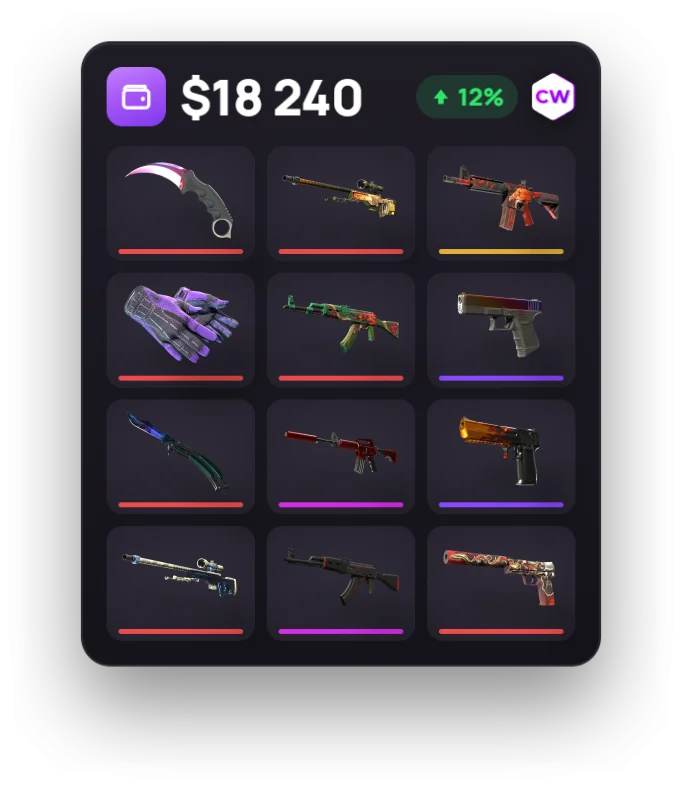
Caseway uses the 7-day median sale price for each item, multiplies it by the number of copies you own, then adds up the results. This gives you the market value of your inventory based on standard versions of each item. The total doesn’t account for individual skin features.
How Float, stickers and patterns affect value
The estimate doesn’t account for Float, stickers or patterns. A skin with a rare pattern or expensive stickers may be worth much more on the marketplace than the estimate suggests. Check items like these separately, or their unique value will get lost in the total.
We’d use an automatic estimate as a guide to the value of your full inventory, then check items with rare patterns or expensive stickers separately. A total is useful for comparison, but it doesn’t replace checking the price of each individual item.
Why estimates differ between sites
Different estimates may use different prices, such as the median sale price, the cheapest listing or prices from another marketplace. A completed sale and an active listing are different benchmarks, so they can produce different totals for the same inventory.
Before comparing two estimates, check which prices each tool uses. Compare median sale prices with other median sale prices, and the cheapest listing with a listing on the same marketplace.
What the price graph shows
Steam doesn’t provide a history of your inventory’s contents. Caseway’s graph tracks price changes for the items you own now. It can’t show what you bought or sold last week, or what your inventory used to contain.
After signing in through Steam, you can view price changes over seven days, three months or a year. The graph shows the price history of the items you currently own. It can’t tell you how much you spent on skins or made from past sales.
How much you’ll get for selling your inventory
The total estimate isn’t the same as what you’ll get from a sale. First, each item has to sell for a certain price. Then the marketplace takes its fee. Steam and third-party marketplaces have different terms, so choose where you’ll sell before calculating the final amount.
Steam fees and your Wallet balance
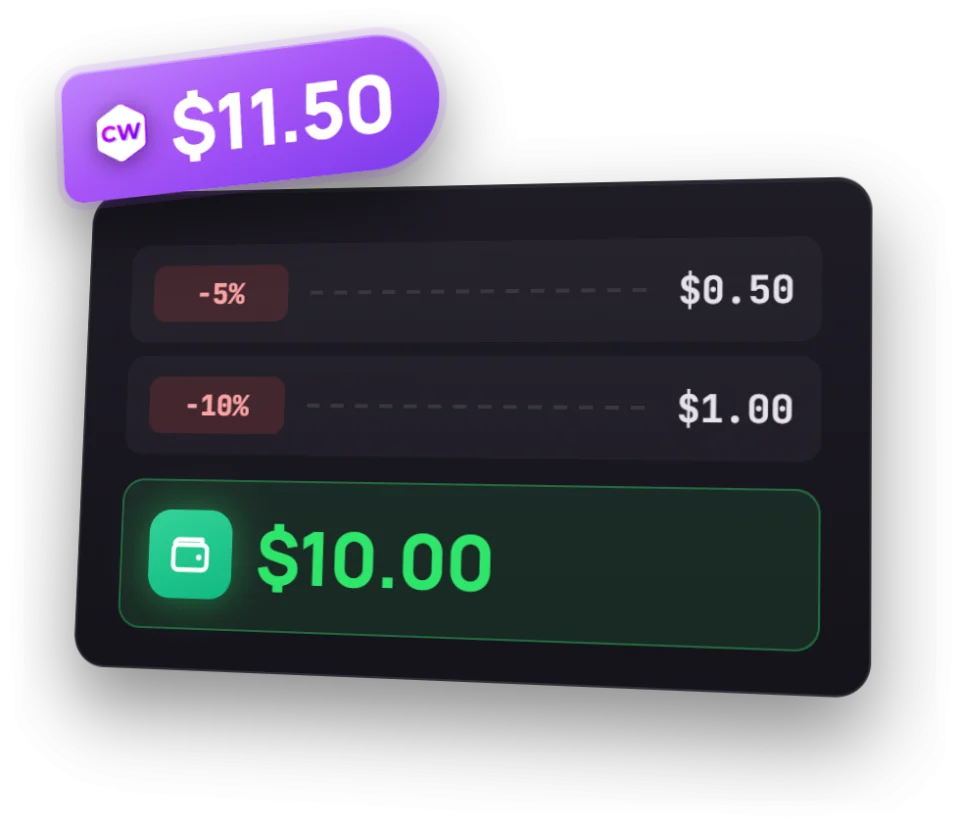
The Steam Community Market fee is about 15%: Steam takes 5%, and the game takes 10%. Both fees are calculated from the seller’s amount, so simply taking 15% off the buyer’s price gives you the wrong result. Divide the listing price by 1.15 to get the seller’s amount. If the buyer pays $11.50, the seller gets $10.00.
You can check how much you’ll get for a specific price with the Steam fee calculator. The money goes to your Steam Wallet. You can spend it on Steam, but you can’t withdraw it to a bank card. The Community Market also caps listings at $2,000.
What to check on another marketplace
Third-party marketplaces charge their own seller fees. Don’t apply Steam’s fee calculation to them. Compare the sale price with the amount you’ll get after fees. For the selling process and marketplace options, see our guide on how to sell CS2 skins.
If you get a CS2 item through a trade, it’s protected by a trade hold for seven days. During that time, you can’t trade it again or sell it. Getting an estimate for a skin and listing it for sale are separate actions.
How to check the value of a Dota 2 or Rust inventory
The Caseway tool only calculates the value of CS2 inventories. For Dota 2 and Rust, you can check each item’s price on the Steam Community Market. Steam doesn’t show a total value for those inventories either, so you’ll need to check the items individually.
- For Dota 2, check each item’s price on the Steam Community Market. The selling fee is about 15%, and the money goes to your Steam Wallet.
- For Rust, check item prices there too. Steam’s total fee is also 15%.
In Rust, inventory value also matters for Premium Access servers. They’re open to players whose Rust inventory on Steam is worth $15 or more. Learn about items and selling options in our Rust skins article.
Is it safe to check my inventory?
You don’t need your Steam password to check your inventory with a profile link. If you sign in through Steam, authorization happens on Steam’s own site, and Caseway only gets your SteamID, your account number. The tool can’t access your account.
Caseway sees the same public inventory as anyone visiting your profile. Signing in doesn’t let the tool trade or sell your items. It only reads the available list and shows an estimate.
Never enter your Steam password on a third-party site to get an inventory estimate. If you sign in through Steam, check that the authorization page is on Steam’s own site.
Frequently asked questions
How do I check my Steam inventory value?
Make your inventory public in Steam’s privacy settings, then paste your profile link into Caseway’s Inventory Value tool. It’ll show the estimated value of your CS2 items and how their prices have changed. Steam only shows each item’s price individually.
Why can’t I open my inventory to get an estimate?
Steam only shares the list of items in a public inventory. In your privacy settings, make sure Inventory is set to Public. If you’ve just changed the setting, Steam may take a while to show your items.
How much money will I get if I sell my inventory?
The amount you get depends on the actual sale prices and the marketplace fee. On Steam, the seller gets the listing price divided by 1.15, and the money goes to their Steam Wallet. You can’t withdraw it to a bank card. Other marketplaces charge their own fees.
Does the estimate account for Float and stickers?
No. Caseway’s automatic estimate doesn’t account for Float, stickers or patterns. A skin with a rare pattern or expensive stickers may be worth much more on the marketplace. Check items like these separately from the total estimate.
Can I check the value of a Dota 2 inventory?
You can check Dota 2 item prices individually on the Steam Community Market, but Steam doesn’t show a total. Caseway only estimates CS2 inventories.