
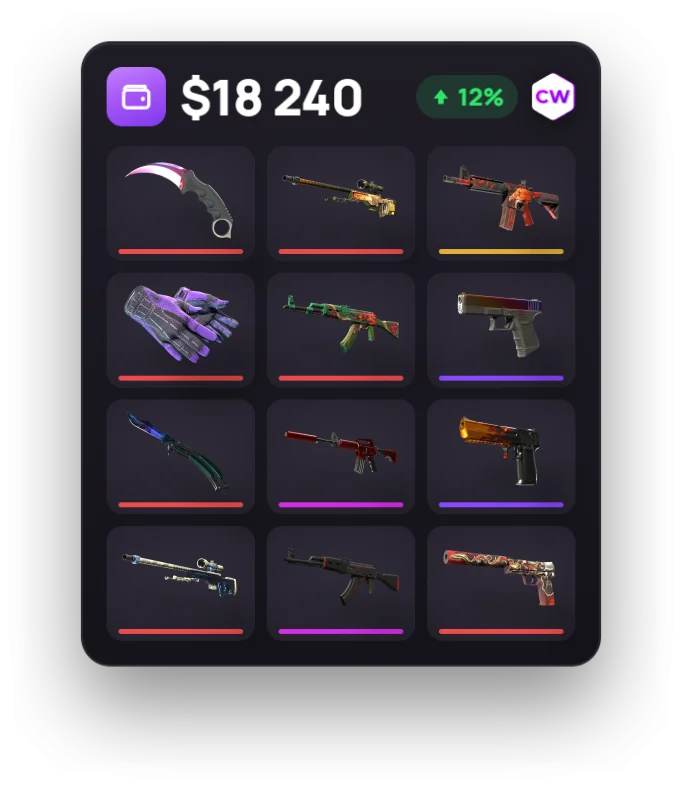
First, find out how much your inventory is worth
Before selling a skin or your entire inventory, open the CS2 Inventory Value tool. For individual items, check the CS2 Skin Wiki, where you can compare the seven-day median Steam sale price with the lowest listings on trusted sites.
These are different benchmarks. The median reflects completed sales, while the lowest listing shows the current asking price. Neither figure alone tells you how much the seller will keep after fees. The “best price” label in the Wiki means the best price among trusted sites, not across every service.
Compare the price the buyer pays with the amount you’ll receive. High-value items come with 2 more limits: Steam won’t accept a listing above roughly $1,800 (or the equivalent in your wallet currency), and your wallet balance can’t exceed $2,000. If your balance plus the listing price would go over that cap, you can’t list the item. That makes Steam prices a poor guide to the value of skins worth more than that.
Steam Community Market: selling skins and receiving money in your Wallet
Money from Steam Community Market sales goes to your Steam Wallet. You can spend it on Steam, but you can't withdraw it to a bank card. You sell items straight from your inventory, but your account must meet Steam's requirements: Steam Guard must have been enabled for at least 15 days, you must have made a successful Steam purchase more than 7 days ago (gifts and retail game keys don't count), and you must have spent at least $5 on the account. Otherwise, your account is limited and the Community Market is unavailable. Temporary restrictions can also block sales, such as the 30-day restriction after you cancel trades through Trade Protection.
How to list a skin for sale
The whole process takes a couple of minutes: choose an item, set a price, and confirm.
- Open your Steam inventory in the client or on the website, then select the Counter-Strike 2 tab.
- Select an item. If it's eligible for sale, its item card will have a sell button. Items under Trade Protection don't have one, so you can't list them yet.
- Check current listings and sales history, then enter a price. The window shows both amounts straight away: what the buyer will pay and what you'll receive after the fee. The limit is about $1,800 per listing. Your Wallet balance plus the listing price also can't exceed $2,000.
- Agree to the terms and confirm the listing in the Steam Mobile app, or by email if you don't have the app. The listing won't appear on the Market until you confirm it.
- Your listing then waits for a buyer. The money goes to your Wallet after the item sells, not when you list it. You can remove the listing while the item is still unsold. Since March 2026, listed items stay in your inventory and can be equipped, but you can't open or modify them while the listing is active.
Steam Market fees for selling skins
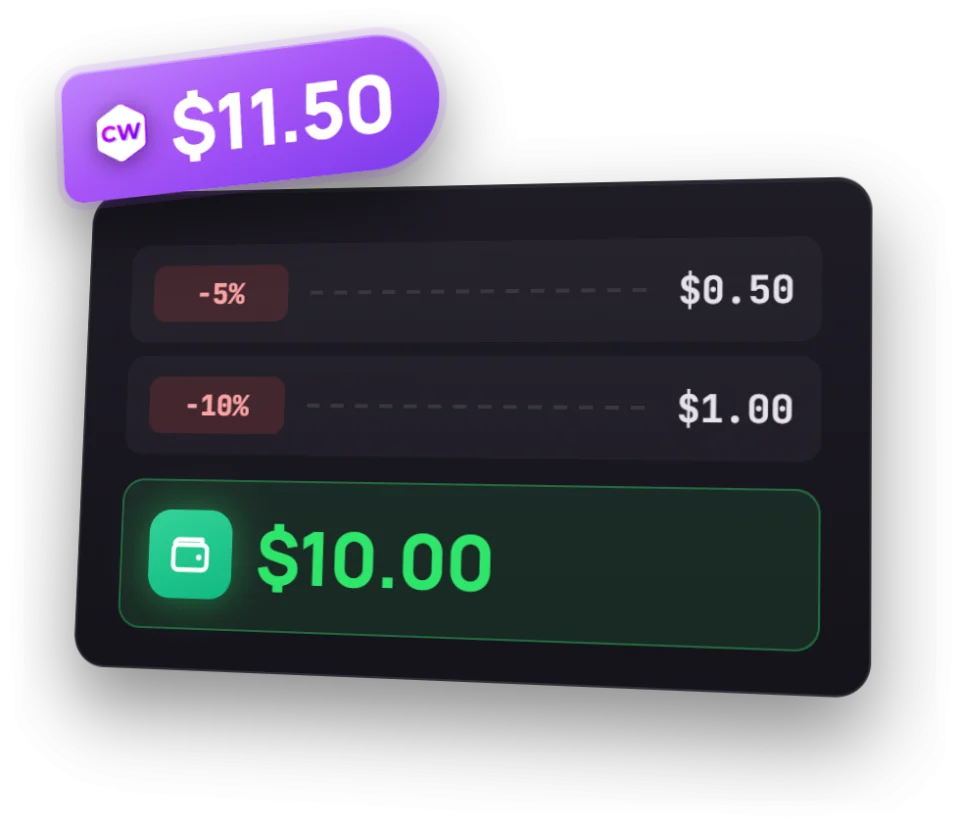
The fee for selling a CS2 skin is about 15%: Steam takes 5%, and the game takes 10%. The seller's payout is calculated by dividing the buyer's price by 1.15. That's not the same as simply subtracting 15% from the purchase price.
| What we're comparing | Amount |
|---|---|
| Buyer pays | $100 |
| Seller receives in Steam Wallet | About $86.96 |
How to sell skins for cash on a third-party site
On third-party sites, you can withdraw money, and the buyer receives the purchased item through a Steam trade. Seller fees are usually around 5%, but terms vary. Don't assume one site's rate applies to another: compare specific sites.
Along with the fee, check how long payouts take. Trade protection means many marketplaces make sellers wait 7–8 days after the item reaches the buyer before they can withdraw their money. Faster or instant sales usually cost you more: you give up part of the item's value in exchange for speed.
| Site | Seller fee |
|---|---|
| CSFloat | 2% |
| Buff163 | 2.5% |
| Skinport | 8% |
There's a risk that can't be measured by the fee alone: a site may delay a payout or freeze an account. So don't choose a site based only on the amount it promises. Check its reputation and track record first, then compare its selling terms.
How Caseway selects trusted sites
We use transparent selection criteria. To be included, a site must meet all three requirements:
- A Trustpilot rating of at least 4.4.
- At least 1,000 reviews.
- No known history of widespread freezes, nonpayment, or country-based bans affecting customers' money or items.
A high rating is necessary, but it isn't enough on its own. Some services ask users to leave a review right after a successful transaction. That review may not reflect what happens later when withdrawing money or resolving a dispute.
| Trusted site | Trustpilot rating | Number of reviews |
|---|---|---|
| Skinport | 4.8 | 35K |
| CSFloat | 4.8 | 8.9K |
| Tradeit | 4.7 | 21.7K |
| LIS-SKINS | 4.9 | 7.7K |
| SkinBaron | 4.5–4.6 | 4.2K |
| skin.land | 4.6–4.7 | 4.5K |
| Skinflow | 4.6 | About 1K |
The editorial team has separately added CSGO.com, Buff163, and Youpin to its list of trusted sites. The Chinese sites on this list require deposits through Alipay or WeChat Pay and a Chinese ID. Keep these requirements in mind when choosing a site.
DMarket is not on our list of trusted sites. In February 2022, the site froze the accounts and items of users from Russia and Belarus; they were still frozen in 2026. This history does not meet our selection criteria.
Trade Protection: what happens during the 7-day period
Since July 2025, CS2 items received through trades have been protected by Trade Protection for 7 days. A similar 7-day restriction on trading and reselling has applied since October 2024 to items bought on the Steam Community Market or in the in-game store, so you can't resell a skin right after buying it. During this period, you can't transfer, sell, open, modify (for example, by applying a Sticker), or move the item to storage. You can still use it in-game. During this period, you can use items in-game, but you can't transfer them to another user or sell them on the Steam Community Market.
During those 7 days, you can reverse trades through your trade history. The feature is designed to protect against account hijacking and scams, and reverses all trades involving protected items from the past 7 days at once. Items from both sides go back to their previous owners. Whoever initiates the reversal loses access to trading and the Community Market for 30 days; the other party faces no restrictions.
What this means for sellers and buyers
Receiving an item through a trade doesn't mean a buyer can resell it right away. And handing over a skin doesn't make the trade irreversible for the seller: it can still be reversed while Trade Protection is active. When selling through a third-party service, consider both Steam's trade mechanics and the site's payout process.
Check the trade status and find out in advance how the site handles trade reversals. Don't trust claims that a Trade Protected trade can no longer be reversed.
Where to sell CS2 skins: comparing your options
| Criteria | Steam | Third-party site |
|---|---|---|
| Where the money goes | Steam Wallet; no withdrawals to a bank card | Withdrawals are available; terms depend on the site |
| Seller fee | About 15%: 5% to Steam and 10% to the game | Usually about 5%; rates vary |
| Speed | Depends on when the item sells | Consider the sale, trade, and payout process |
| Restrictions | $2,000 limit. About $1,800 per listing; Wallet balance capped at $2,000; protected items can't be listed | Items received through a trade are protected for seven days |
| Risks and details | Proceeds can't be withdrawn from Steam | Payout delays, account freezes, and reversals of protected trades are possible |
In our view, Steam is a good fit if you plan to spend the proceeds on Steam: not being able to withdraw them doesn't get in the way. A third-party site is worth considering if you need money outside Steam. In that case, weigh the lower fee against the site's payout terms and reputation.
Frequently asked questions
Can you withdraw money from your Steam Wallet?
No. You can't withdraw money from your Steam Wallet to a bank card. You can spend money from skin sales within Steam.
What are the Steam Community Market fees?
The fee for selling a CS2 skin is about 15%: 5% goes to Steam and 10% to the game. If the buyer pays $100, the seller receives about $86.96 in their Steam Wallet.
Why can't you sell a skin right after receiving it in a trade?
A CS2 item received in a trade is protected for seven days. You can use it in-game during this period, but you can't trade it or list it on the Community Market.
Where can you get the best deal selling CS2 skins?
It depends on the sale price, the fee, and where you want the money. Third-party sites usually charge lower fees, but you should also consider their payout terms and reputation. Steam sale proceeds stay in your Wallet and can't be withdrawn to a bank card.
What is a Steam trade reversal?
This lets you reverse a Trade Protected trade through your trade history within seven days. Items on both sides are returned to their previous owners. Anyone who reverses a trade receives a 30-day restriction on trading and the Community Market.