
To make your Steam inventory public for a site, check the “My Profile” and “Inventory” settings under Privacy Settings. Set both to “Public.” A private profile blocks sites and other players from seeing your items, even if your inventory itself is public.
- For sites
- Make both your profile and inventory public
- Changes
- Take effect right away, with no separate button
- Delay
- Steam may take a while to show your items
- Access
- Others can view your items, but they can’t manage them
Why make your CS2 inventory public?
Friends need access to your inventory to check your items before a trade. Sites and valuation tools read inventories through Steam, which only shares items from public inventories. If a service says your Steam inventory is private, check your privacy settings first.
It depends on what you need. If you only want friends to see your skins, you can set your inventory to Friends Only. To make your CS2 inventory visible to a site, set it to Public and make your profile public too.
How to make your inventory public
You can find Steam’s inventory privacy settings in the profile editor. You don’t need to set access for each item individually; the setting applies to your whole inventory.
- Open your profileIn Steam, go to your profile and click “Edit Profile.”
- Privacy SettingsSelect “Privacy Settings” on the left, or go straight to the settings page.steamcommunity.com/my/edit/settings
- “My Profile” — “Public”Without a public profile, your inventory will still be hidden from everyone else.
- “Inventory” — “Public”Changes take effect right away; there’s no separate button.
Changes take effect right away. There’s no separate Save button, so once you’ve chosen your settings, go back to the site and try loading your inventory again.
Who can see your items with each privacy setting
Inventory privacy has 3 levels, but visibility also depends on the “My Profile” setting. Your inventory can’t be more public than your profile. Keep this limitation in mind when reading the table below.
| Inventory setting | Who can see your items | Available to sites |
|---|---|---|
| Public | Everyone, if the profile is public too | Yes, if the profile is public |
| Friends Only | Friends, if the profile settings allow it | No |
| Private | Owner only | No |
A common mistake is setting “Inventory” to Public while leaving “My Profile” private or set to Friends Only. Both settings need to be public for a site to see your items.
My inventory is public, but the site can’t see it
The setting takes effect right away, but Steam may take a while to show a newly public inventory. Another possible cause is a limit on requests from Steam. If that happens, try again later.
- Go back to “Privacy Settings” and check that “My Profile” is set to Public.
- Make sure “Inventory” is set to “Public,” not “Friends Only.”
- If both settings are correct, try loading your inventory again later. If you can’t select “Public,” check whether your account is limited. Until you’ve spent at least $5 on Steam, Steam won’t let you make your profile public, so the site won’t be able to see your inventory. You can remove the restriction by making a Steam purchase of $5 or more, such as adding funds to your Steam Wallet.
After making your inventory public, wait a bit and try again. Don’t keep switching your privacy settings back and forth after each error. The cause may be a delay or a limit on Steam requests.
What others can see, and whether they can take your skins
An open inventory lets other people see your items and their condition. View access doesn’t give anyone the right to manage your skins. They can’t take your items or send them to someone else. To trade, you need to accept and confirm an offer yourself in the Steam mobile app. If you don’t have an authenticator set up, you’ll confirm it by email instead.
There’s a setting under “Inventory” that keeps Steam gifts hidden. This applies to games that haven’t been activated yet. With this option enabled, other people can’t see your gifts, even if your inventory is public.
You can make your inventory private at any time by selecting “Private.” We’d choose the setting that fits what you need right now. Sites need a public inventory to read it; the rest of the time, it’s up to you who can see your items.
Which Caseway tools need a public inventory
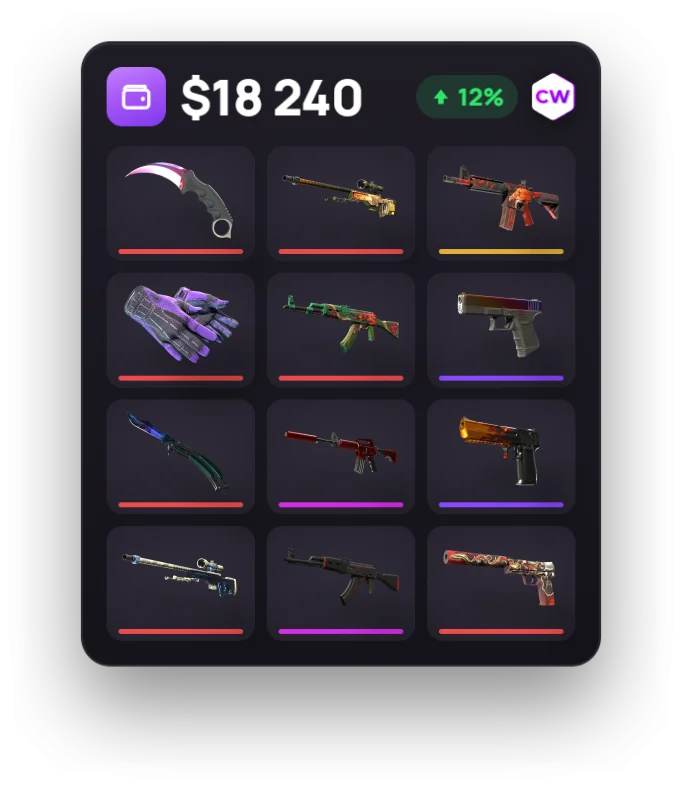
Caseway only reads public inventories and doesn’t change anything on your account. Its valuation and analysis tools need your items to be visible, so a private profile or inventory will stop them from loading.
- Inventory Value shows the total value and item prices based on the median sale price over the last 7 days. It reads your inventory from your public profile and stores it for no more than 30 minutes.
- Trade Up Calculator fills in each item’s Float from your inventory.
- The AI inventory analysis on the same “Inventory Value” page analyzes the contents of your public CS2 inventory.
Frequently asked questions
How do I make my Steam inventory public?
On your profile, click “Edit Profile,” then open “Privacy Settings.” Set “My Profile” and “Inventory” to “Public.” The changes take effect right away, so you don’t need to click a separate button.
Why can’t a site see my inventory even though it’s public?
Check the “My Profile” setting. A private profile or one set to Friends Only limits who can see your inventory. If both settings are public, the issue may be a delay after changing your privacy settings or a limit on Steam requests. Try loading your inventory again later.
Is it risky to keep my inventory public?
A public inventory lets others view your items and their condition, but not manage them. You still have to accept a trade offer and confirm it in the Steam mobile app. If you don’t want everyone to see your items, you can make your inventory private at any time.
Do I need to make my inventory public to trade?
A friend needs access to your inventory to check your items before a trade. Choose “Friends Only” if you want only friends to see it. A site or bot needs both your profile and inventory to be public. To complete a trade, you still have to accept the offer and confirm it in the Steam mobile app.