- Buy
- From the Facepunch store (in-game or on Steam) or from other players on the Steam Community Market.
- Sell
- On the Steam Community Market, with a fee of about 15%.
- Store
- Skins have a limited run and may be removed from the store.
- Crates
- Get them by recycling items or buy them on the Community Market. No keys needed.
- Premium Access
- You need a Rust inventory worth at least $15 on Steam.
- Your Own Skin
- Publish your work through the Workshop and accept the Contributor Agreement.
Where to Buy Rust Skins
You can open the Rust skin store in-game or on Rust’s Steam page. It’s one way to get items: packs also come as DLC, while individual skins are available through streams, crates, or other players.
- Item store: skins that Facepunch puts up for sale.
- DLC: item packs. For example, Storage Box Pack contains 16 skins for the Large Wooden Box, while Industrial Decor Pack has 20 items.
- Twitch Drops: rewards for watching streams.
- Crates: a source of random Rust items and skins.
- Steam Community Market: items listed by other players.
Facepunch sells skins in the store; other players sell them on the Steam Community Market. For stream rewards, see our Rust Twitch Drops guide.
How to Sell Rust Skins
To sell Rust skins, open your Steam inventory, select an item, click “Sell,” and set a price. The total fee is about 15%: Steam takes 5%, and the game gets the rest. The seller receives the listing price divided by 1.15. So if a buyer pays $11.50, the seller gets $10. Steam won't sell an item for more than $2,000 per listing.
Money from sales goes to your Steam Wallet. You can spend it on Steam, including the store and Community Market, but you can't withdraw it to a card. Not every account can sell items: Steam restricts trading and access to the Community Market in some cases, such as when Steam Guard has been enabled for less than 15 days or your password was recently reset. See our guide to Steam Trade Links for a list of restriction periods.
Why Skins Leave the Store
According to Facepunch, every skin has a limited run. A skin can leave the store if it’s been available for a long time or has made too much money. This is especially true of flashy skins: the developers want to keep them rare rather than have them everywhere.
A skin removed from the store may later appear in crates.
How to Get and Open Crates in Rust
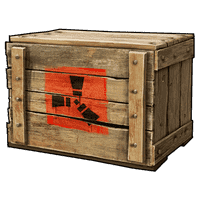
Facepunch doesn’t sell crates. You can get them for free by breaking down other inventory items, or buy them on the Steam Community Market. Each crate gives you a random Rust item or skin.
- Get a crateBreak down unwanted inventory items or buy a crate on the Steam Community Market.
- Open your inventorySelect Inventory from the Rust main menu.
- Open the crateNo key needed. You’ll get a random item or skin.
Rust crates don’t need keys. Facepunch says it doesn’t like that kind of system. Skin creators don’t earn money from crates or Community Market sales. As the developers explain in the Workshop FAQ, Steam can’t split its Market fees with skin creators.
How to Preview Skins and Choose One When Crafting
You can preview a skin in your hand from the store or your Steam inventory. When crafting, you can also choose a random skin from your collection; that option appears at the top of the list.
You can apply a skin to an existing item at a Repair Bench or with a Spray Can. Right-click the Spray Can to change the item’s skin, as long as you have the skin in your inventory.
A Random Skin for Every Crafted Item
Choose “Random” and every item you craft will get a random skin from your collection. The setting is saved separately for each item.
Why You Need Inventory for Premium Access
Premium Access servers are open to players whose Rust inventory on Steam is worth $15 or more. That total includes items from the permanent store, such as building skins, decor sets, and hazmat suits, along with other marketable Rust items. DLC like Instruments, Sunburn, and Voice Props doesn’t count for now. Facepunch may change the threshold over time. The studio says the requirement helps keep cheaters out.
In June 2026, Premium was renamed Premium Access Pass, but the access rules stayed the same. The developers gave the name Rust Premium to a new monthly subscription for skins and bonuses, which they said would arrive by the end of 2026. It isn’t a battle pass or VIP access, and it has nothing to do with getting onto the servers.
How to Make a Skin in Rust
The process starts in the in-game Workshop. Choose an item and download its model files to create your own materials. Publishing a submission makes it eligible for the game, but it doesn’t mean Facepunch will accept it.
- Open the in-game WorkshopFind the item you want to make a skin for.
- Download the model filesCreate your own materials for it.
- Publish your workPublish your work in the Workshop with a description and screenshots.
- Accept the Contributor AgreementWithout it, other players can’t see your work and it can’t be added to the game.
The Facepunch Workshop FAQ explains how to submit your work.
Rust Workshop: Items Creators Can Make Skins For
Facepunch opens a new item for Workshop skins almost every month. Here are the additions listed by the developers.
| Month | Item |
|---|---|
| October 2025 | Bed |
| November 2025 | HMLMG |
| February 2026 | SKS |
| March 2026 | BBQ |
| April 2026 | Salvaged Axe |
| May 2026 | Electric Furnace |
| June 2026 | Auto Turret |
| July 2026 | Metal Shop Front |
| August 2026 | Small Backpack |
| September 2026 | Wooden Armor |
| October 2026 | Four ladder hatches: standard, triangular, armored, and armored triangular |
The top and bottom of ladder hatches are painted separately.
How to Add Your Skin to Rust: What Facepunch Looks For
Facepunch has guidelines for skin submissions, but there’s no guarantee yours will be accepted. They cover the look of the skin, how clearly the item reads in-game, image rights, and the layout of the Workshop page.
- Keep the worn look. Rust gear should look dirty and used. Bright, glowing skins are rarely accepted.
- Don’t change how powerful the item looks. Burlap that looks like metal could pass for armor and affect gameplay.
- Use your own designs. Don’t include other people’s logos, celebrity photos, or items from other games.
- Don’t build your idea around text alone. Text can’t be translated, so a box with just the word “ammo” is more likely to be rejected. A design that works without words has a better chance.
- Check how many similar submissions already exist. Camo skins are accepted, but not a hundred versions for the same item.
- Look for items with few skins. Facepunch recommends choosing them for new submissions.
- Set up your Workshop page with a description and extra screenshots.
Before you start making materials, check that your idea works without text and doesn’t make the item look like higher-tier gear. That way, you can fix the core design before publishing it.
When two similar submissions go head to head, Facepunch picks the one with more votes and a better Workshop page. If they’re tied, the creator whose skins haven’t been accepted before gets the nod.
Frequently Asked Questions
How to Get Skins in Rust
Skins are sold in the item store, in DLC packs, and on the Steam Community Market. You can also get them through Twitch Drops or from crates.
How to Sell Rust Skins
On the Steam Community Market, select a skin in your Steam inventory and click “Sell.” The fee is about 15%. The money goes to your Steam Wallet, and you can't withdraw it.
Why Did a Skin Disappear from the Rust Store?
Skins have a limited run. Facepunch removes them when they’ve been on sale for a long time or have made too much money. The developers try especially hard to keep flashy skins rare. A skin that leaves the store may later appear in crates.
How to Make Your Own Rust Skin
In the in-game Workshop, choose an item, download its model, and create your own materials. Then publish your work and accept the Contributor Agreement so everyone can see it and Facepunch can consider it for the game.
Do Skin Creators Make Money from Crates?
No. Creators don’t earn money from crates or Steam Community Market sales. Facepunch says Steam can’t share its Market fees with skin creators.
What Are Premium Servers in Rust?
These are Premium Access servers. To join, your Steam inventory must contain Rust items worth at least $15. Items from the permanent store and other Rust items sold for money count toward the total. The name change to Premium Access Pass didn’t affect the rules; the monthly Rust Premium subscription is a separate announced product.