
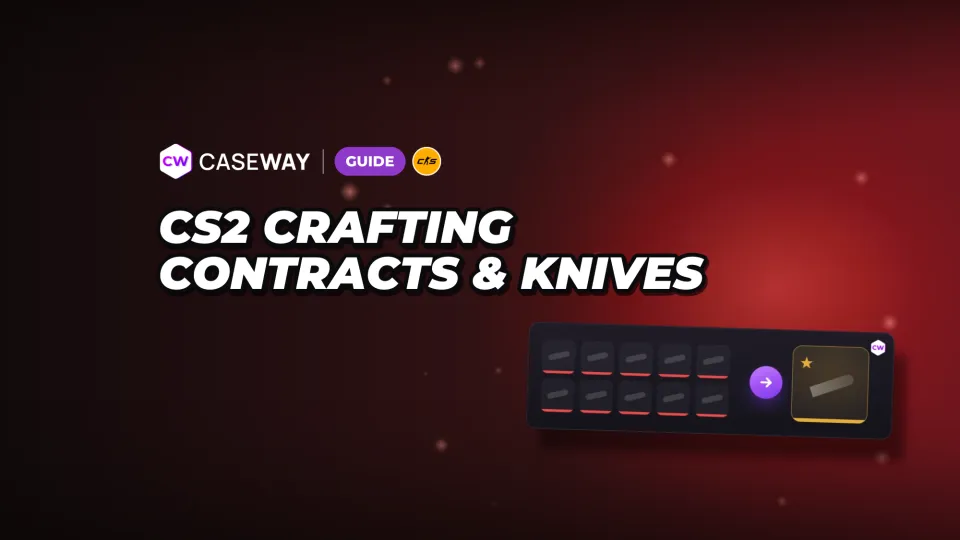
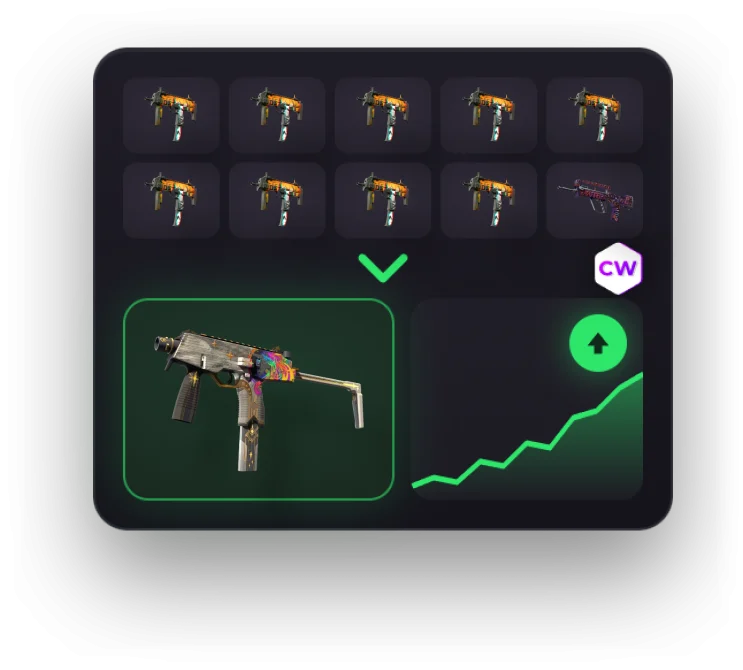
There are 2 types of crafting in CS2. A Trade Up Contract turns your skins into one item of the next rarity. A sticker craft lets you customize a weapon by choosing stickers and where to place them. It doesn't turn anything into a rarer item.
- Regular contract
- 10 skins of the same rarity give you one skin of the next rarity.
- Knives and Gloves
- You need 5 Covert skins. StatTrak™ inputs can only give you StatTrak™ knives.
- Odds
- They depend on how many input skins come from each collection and its possible outcomes.
- Float
- The calculator uses each input skin's position within its Float range.
- Stickers
- You can apply up to 5 stickers to a weapon and adjust their rotation and wear.
How to use a Trade Up Contract in CS2
For a regular contract, use 10 skins of the same rarity. They can come from different collections, but the output will belong to one of the collections you put in. Check the possible outcomes first. You can't choose a specific one when you trade.
- Choose 10 eligible skins of the same rarity and check that their trade protection has expired.
- Select a skin in your inventory and click “Use in Trade Up Contract.” The section is called “Trade Up Contract.”
- Add the other items and check the set.
- Complete the contract. You'll get one skin of the next rarity in place of your inputs.
Check the inputs and possible outcomes in the Trade Up Contract calculator before you trade. The item history will show “Used in Trade Up Contract.” Stickers can't be used as inputs.
Which skin versions can you mix?
A contract can use either StatTrak™ or regular skins, but not both. A set of StatTrak™ skins gives you a StatTrak™ item. Since May 22, 2026, you can mix Souvenir items with regular skins. Their Souvenir properties are removed, and the output is regular. Souvenir items can't be mixed with StatTrak™ skins.
Why can't I add a skin to a contract?
Items received through a trade are subject to 7-day trade protection. While it's active, you can't use the skin in a contract, modify it, transfer it, or move it to storage. Items bought on third-party marketplaces arrive through a trade too, so you'll need to wait for their protection to expire.
Crafting Knives and Getting Gloves in CS2
Knives and Gloves follow a separate rule. Since October 22, 2025, a contract has taken 5 Covert skins. The outcome depends on the inputs' versions and collections.
- 5 regular Covert skins give you one regular knife or a pair of Gloves from the collection of one of the inputs.
- 5 StatTrak™ Covert skins give you one StatTrak™ knife from the collection of one of the inputs. StatTrak™ Gloves don't exist.
How to craft a specific knife in CS2
In “I want to get” mode, select the knife or Gloves you want. The calculator shows the collection, input rarity, odds, and cheapest set of inputs. To get that outcome, you need 5 Covert skins from the case collection it belongs to. Reverse search can find a matching set, but the outcome still comes down to chance.
If you haven't picked a model yet, compare the different knife types and CS2 Gloves. Then check the specific outcome in the calculator. Using 5 Covert skins doesn't let you choose freely from every knife and pair of Gloves in the game.
How the CS2 Craft Calculator Works Out Odds and Float
Each input skin contributes odds to its collection: 10% in a regular contract, or 20% in a contract with 5 Covert skins. The collection's share is then split evenly among its items of the next rarity. Check the possible outcomes against your inputs.
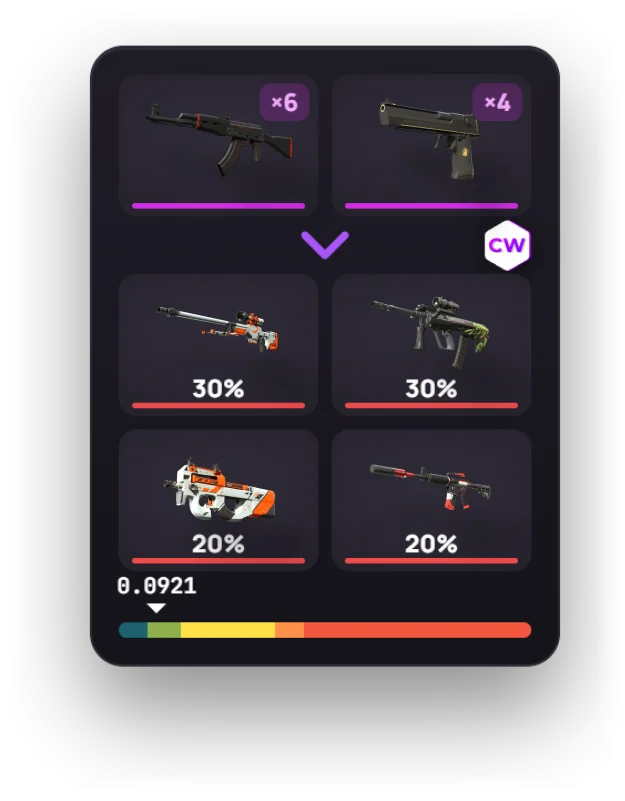
Example odds for a set of 6 and 4 skins
Say your contract has 6 skins from one collection and 4 from another. Each collection has 2 items of the next rarity. The calculator splits the odds like this:
| Collection | Input skins | Odds for each of the 2 outcomes |
|---|---|---|
| First | 6 | 30% |
| Second | 4 | 20% |
That gives you 4 possible outcomes with odds of 30%, 30%, 20%, and 20%. This example has 2 possible outcomes in each collection. If your set has different possible outcomes, check the odds again in the calculator.
Why a Low Input Float Isn't Enough
For each input skin, the calculator finds its position within its own Float range. It averages those values, then maps the result to the output item's range. So comparing inputs by Float value alone isn't enough. You also need to know each skin's lower and upper limits.
Check the Float of every possible outcome in the calculator before you trade. The closer an input's Float is to the bottom of its own range, the lower the output Float will be.
If Float ranges are new to you, check out our CS2 Float guide. What matters is where each input sits within its own range, not just the average of the visible values.
Are Trade Up Contracts worth it?
We see a Trade Up Contract as a gamble, not a guaranteed way to make money. Even a positive average profit applies to the full range of possible outcomes. You'll get just one of them from a single trade, and it could be worth less than your inputs.
- The calculator's average profit is the sum of “odds × price after fees” for all outcomes, minus the cost of the inputs.
- When you sell on Steam, the seller receives the price divided by 1.15. Steam keeps about 13%.
- Calculate Steam and third-party marketplace prices separately. Steam Wallet funds and marketplace funds aren't interchangeable.
- Check the “Sales in the last week” column. For a rare outcome, the median price may be based on just a few sales, and selling at that price could take a while.
The output's liquidity matters as much as its potential profit. A high price won't help much if the item takes a long time to sell. Compare ready-made setups in Trade Ups of the Week, then check all the outcomes and their sales before trading.
Sticker Crafts in CS2: Placement, Wear, and Slabs
A sticker craft is a way to customize a weapon with stickers. You can place them freely instead of choosing from preset positions. You can apply up to 5 stickers to any weapon and zoom in while placing them.
- You can rotate a Sticker in half-degree increments.
- When applying a Sticker, you can choose its wear level.
- Scraping lets you adjust wear precisely, but you can only increase it.
- You can remove a Sticker instantly.
- Stickers can also be applied to Zeus and C4.
Scrape a Sticker a little at a time. Wear can only increase, so you can't restore its original look.
How to keep a Sticker in a Slab
A Sticker Slab is a Charm that seals any Sticker inside. Break the Slab to return the Sticker to your inventory. It's a separate way to use a Sticker; for other ways to customize weapons, see our CS2 Charms guide.
Frequently Asked Questions
How to use a Trade Up Contract in CS2
Choose 10 skins of the same rarity in your inventory and select “Use in Trade Up Contract.” Add the rest of your items and complete the trade. You'll get one item of the next rarity from the collection of one of your inputs.
Can you craft a knife in CS2?
Yes. Use a contract with 5 Covert skins. Regular skins give you a regular knife or Gloves, while StatTrak™ Covert skins give you a StatTrak™ knife only. Possible outcomes depend on the input collections.
Can you mix StatTrak™ and regular skins in a contract?
No. You can't mix StatTrak™ and regular skins in one contract. You can mix Souvenir items with regular skins, but the output will be regular. Souvenir items can't be mixed with StatTrak™ skins either.
How do you calculate Trade Up Contract odds?
Each input skin gives its collection 10% of the odds, or 20% in a contract with 5 Covert skins. The collection's share is split evenly among its possible outcomes of the next rarity. Add your inputs to the Caseway calculator to see the odds for each outcome.
What is a sticker craft in CS2?
A sticker craft is a way to customize a weapon by choosing stickers and adjusting their placement and rotation. You can apply up to 5 stickers to a weapon and set their wear. Trade Up Contracts aren't part of the process.