
What Is Float in CS2?
CS2 Float is a number from 0.00 to 1.00 assigned to a skin when it is created. The lower the value, the cleaner the skin looks. Float stays the same for the entire life of the item: using the weapon does not increase its wear.
Float describes a skin’s appearance, not the weapon’s condition in combat. It does not affect damage, accuracy, or recoil. So there is no reason to choose a lower Float for a shooting advantage: compare appearance and price instead.
Float and wear level serve different purposes. Float describes a specific item, while the wear name identifies the range that value falls into. Two items with the same wear label can have different Float values and look different.
Skin Wear Levels: Ranges and Abbreviations
There are five wear levels in the game. The abbreviations FN, MW, FT, WW, and BS come from their English names and are used as shorthand for an item’s wear level.
| Wear Level | Abbreviation | Float Range |
|---|---|---|
| Factory New | FN | 0.00–0.07 |
| Minimal Wear | MW | 0.07–0.15 |
| Field-Tested | FT | 0.15–0.38 |
| Well-Worn | WW | 0.38–0.45 |
| Battle-Scarred | BS | 0.45–1.00 |
The wear label helps you filter items quickly, but you need the Float itself to compare items within the same level. For example, the FT range runs from 0.15 to 0.38. The “Field-Tested” label alone does not show how close a specific item is to the lower limit.
Why Aren’t All Wear Levels Available for a Skin?
The overall scale runs from zero to one, but every skin has its own range. It may start above zero or end before one. Only the wear levels that overlap with that range are available.
| Skin | Skin Range | Available Wear Levels |
|---|---|---|
| AK-47 | Redline | 0.10–0.70 | MW, FT, WW, BS |
| AWP | Asiimov | 0.18–1.00 | FT, WW, BS |
| Desert Eagle | Blaze | 0.00–0.08 | FN, MW |
AK-47 | Redline is not available in FN: its minimum Float is 0.10. AWP | Asiimov has an even higher lower limit of 0.18, so neither FN nor MW is available. Desert Eagle | Blaze, by contrast, has a maximum Float of 0.08 and is available only in the two cleanest wear levels.
Many items have these limits. The CS2 Skin Wiki lists 1,974 skins: 550 have a range that starts above zero, and 1,501 have one that ends below one. These figures refer to the Wiki catalog; a skin can have both limits.
Before searching for a specific wear level, check the skin’s range in the Wiki. This saves you from looking for a version that does not exist for that item.
CS2 Skin Wear and Price: Comparing Versions
Prices below are in US dollars: each figure is the seven-day median sale price on Steam for the relevant version and wear level. Values with no sales during that period are marked separately. Prices change and do not determine the value of every individual item. Regular and StatTrak™ versions are shown separately so that different items are not mixed in the comparison.
AK-47 | Redline: MW to BS
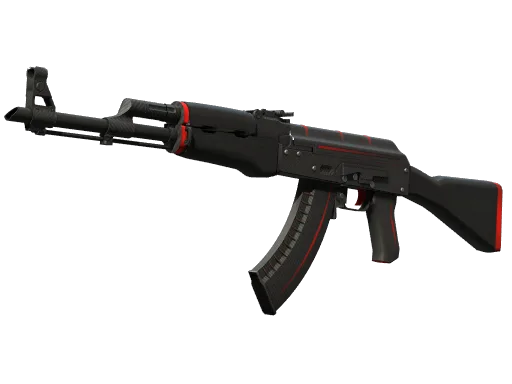
AK-47 | Redline starts at $26.70. In the prices shown, MW is the most expensive wear level for both the regular and StatTrak™ versions. However, you cannot compare its FN and BS versions: this skin is not available in FN.
| Wear | Regular | StatTrak™ |
|---|---|---|
| MW | $163 | $414 |
| FT | $33 | $77 |
| WW | $27 | $57 |
| BS | $25 | $41 |
AWP | Asiimov: Three Available Wear Levels
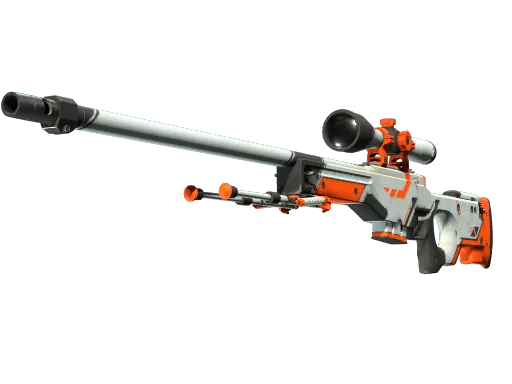
AWP | Asiimov starts at $95.13. FT is the cleanest available wear level, and it is more expensive in the table than WW and BS. Compare regular versions with regular versions, and StatTrak™ with StatTrak™; otherwise, you cannot attribute the price difference to wear alone.
| Wear | Regular | StatTrak™ |
|---|---|---|
| FT | $129 | $288 |
| WW | $100 | $245 |
| BS | $90 | $144 |
Desert Eagle | Blaze: FN and MW Prices
Desert Eagle | Blaze starts at $790.01. The FN median is $790.01, based on five sales over seven days. The MW price is listed at $872.75, but there were no sales during that period. So this figure is not a confirmed median for the period and does not support the conclusion that MW is more expensive than FN.
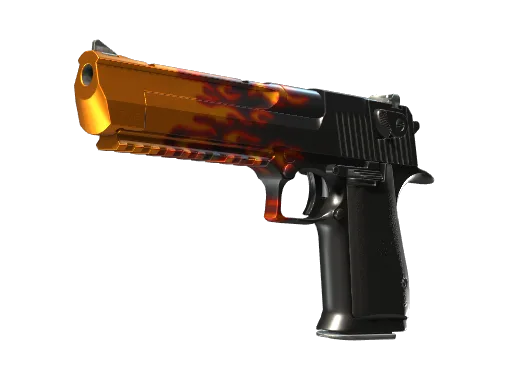
| Wear | Regular Price | Sales in Seven Days |
|---|---|---|
| FN | $748 | 3 |
| MW | $789 | 2 |
None of these three skins is available in both FN and BS, so there is no direct price comparison between the two wear extremes here. For your item, first check which wear levels are available, then compare prices for the version you want.
Why Prices Vary Within the Same Wear Level
An individual item’s price is affected by its Float, pattern, and stickers. Even two skins in FT can have different prices. The median for a wear level does not account for every feature of an individual item.
A lower Float may be valued for its cleaner appearance. It is better to think of any premium as a buyer preference, not a guaranteed markup for every skin. If you are choosing an item to play with, compare how the skins look: a lower number alone does not tell you whether the more expensive version is worth it.
Float and Pattern Are Different Values
Pattern, or paint seed, is a separate number from 0 to 1000. It determines how the design appears on the model and is unrelated to Float. A low Float does not indicate any particular pattern.
For some skins, the pattern can determine an individual item’s price. That is why wear alone is not enough to value an item. If its price differs significantly from others in the same wear level, check the paint seed and stickers too rather than attributing the entire difference to Float.
Float in CS2 Trade-Up Contracts
Under the current rules, the trade-up result is not calculated by simply averaging the input Float values. First, the position of each input skin within its own range is determined. Those proportions are then averaged, and the result is applied to the output skin’s range.
- For each input item, note the lower and upper limits of its Float range.
- Find where its Float falls between those limits.
- Average the resulting proportions across the input items.
- Apply the average proportion to the possible output range.
That is why inexpensive low-Float skins can be useful in trade-up contracts: they let you influence the result’s wear without choosing a more expensive input item. But you also need to consider the item’s own range. A low absolute value is no substitute for checking how close it is to that skin’s lower limit.
To check a specific set of inputs, use the CS2 Trade-Up Contract Calculator. Evaluate the selected input items and the outcome range together instead of relying only on the FN or MW labels.
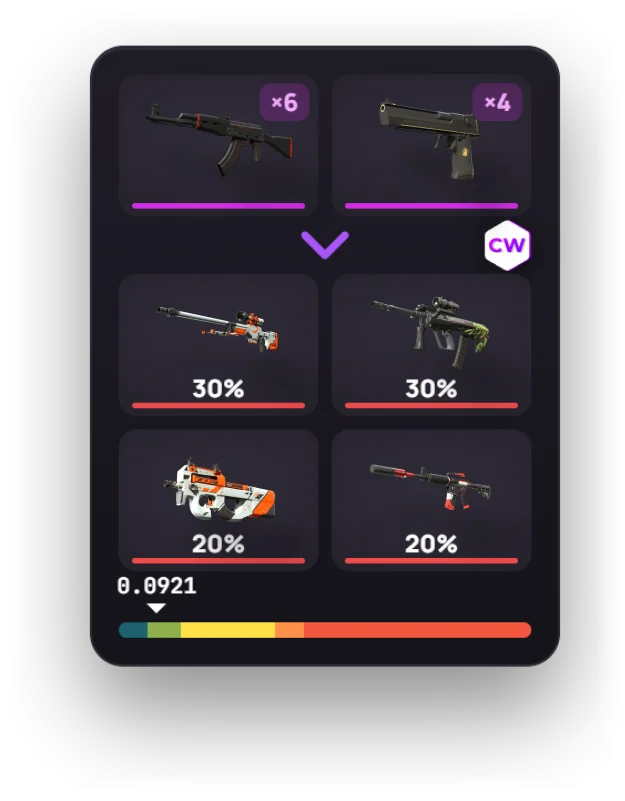
Do not estimate a trade-up result’s Float by simply averaging the input values: the current rules take each item’s position within its own range into account.
How to Check a Skin’s Float Before Buying or Selling
Keep an item’s Float separate from its skin’s range. The range shows which values are possible at all; you need the item’s own value to assess a specific item. The FN, MW, or FT label alone is not enough.
- Check whether the exact Float is listed on the item’s marketplace page. If only the wear level is shown, you cannot determine the specific value from it.
- In the Wiki, check the skin’s own range and prices for the available wear levels.
- Compare the item’s version, Float, pattern, and stickers. Comparing by skin name alone can group together items with different prices.
In CS2, open your inventory and inspect the item. In its details, “Wear” is the Float, and “Paint Seed” is the pattern number. Steam’s web inventory only shows the wear. To see the exact Float on someone else’s item, use a marketplace or an inspect link checker.
You can check the ranges and prices for these examples on the pages for AK-47 | Redline, AWP | Asiimov, and Desert Eagle | Blaze. When selling, use the price for the relevant wear level as a guide, not as a definitive valuation of your item.
Frequently Asked Questions
Does a Skin’s Float Change Over Time?
No. The game assigns Float when an item is created, and it does not change afterward. Using a skin does not make it more worn or move it into another wear level.
Which Float Is Better: High or Low?
A lower Float means a cleaner appearance, but it offers no in-game advantage. If you want a less-worn skin, look for lower values and compare how the items look. For trade-ups, also consider where the Float falls within the item’s own range.
Does Wear Affect Shooting?
No. Wear only affects a skin’s appearance. Float does not affect damage, accuracy, or recoil.
Why Can’t I Buy a Skin in Factory New?
Its own range may not overlap with the Factory New category. For example, AK-47 | Redline starts at 0.10, while AWP | Asiimov starts at 0.18, so neither is available in FN. Checking the range in the Wiki will show whether the wear level you want exists.
What Is Low Float?
Low Float means a low Float value: the item looks cleaner than the same skin with a higher value. It is not a separate wear level. To assess its price or use it in a trade-up, you also need to consider the skin’s specific range.