Spray Lab is a new CS2 Workshop map for practicing spray on Dust2. The point isn't to tame recoil on one target. It's to run one burst through several enemies, which is how you practice spray transfer. iKakashi uploaded the map on November 6, 2026, and in less than two days more than 19,000 players subscribed. Below is how to launch it, which modes it has and where to start, based on the author's description and the screenshots on the map page.
- What it trains
- Spray control and transferring it between targets
- Modes
- Bot Training, Target Training and Free Roam
- Recoil hints
- AK-47, M4A4 and M4A1-S
- AK-47 on five
- 20 chest hits from 30 bullets if the bots wear armor
- Scenarios
- 11 built-in and custom, up to five bots
- Menu
- Use key, default E
How to install and launch Spray Lab
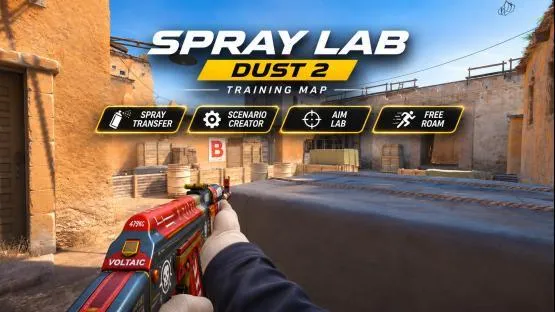
The map is about 270 MB. Subscribe to it on the Steam Workshop, wait for the download, then select it in CS2 under "PLAY", "Workshop Maps". You can also skip the menu: type host_workshop_map 3834466959 in the console. The author built the map for solo offline training. For more on launching Workshop maps, see the SCOPE.GG procedural map guide.
What spray transfer is
Spray is a long burst where you control recoil by moving the mouse against its pattern. Spray transfer means that after killing the first enemy, you keep holding the button and move your aim to the next one. The catch is that recoil doesn't reset: the next enemy gets bullets from the middle of the burst, where the weapon already pulls hard. So you have to pull the mouse down, as in a normal spray, and drag it sideways to the new target at the same time. That's the whole idea behind Spray Lab: in Bot Training you have to finish the encounter with a single burst.
Where to start your first session
- Open the panelWith the use key, E by default. Options are selected with the mouse.
- Choose a modeBot Training, Target Training or Free Roam. For your first time, go with Bot Training.
- Start with an easy scenarioSame Entry, 2 bots, and a difficulty where bots don't shoot.
- Keep holding the buttonHold fire for the whole encounter. If someone survives, restart and work on accuracy.
- Turn on the hintTarget Anchored shows recoil tied to the targets while you move the burst.
Type !help in chat to see the map commands. The Clear Everything button in the panel wipes everything.
Bot Training: one burst for everyone
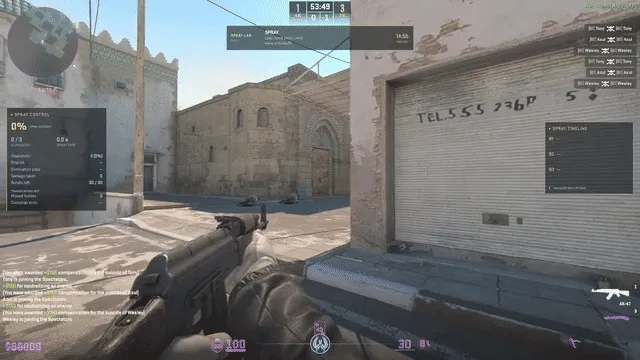
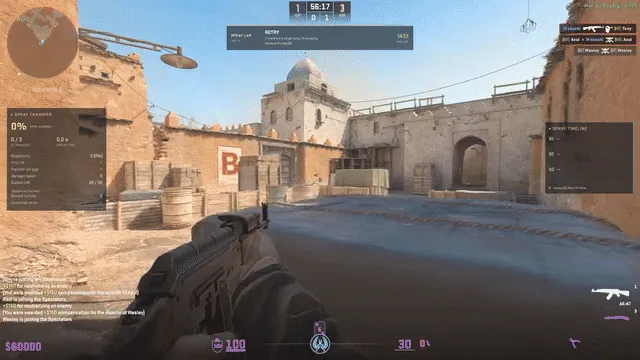
This is the main mode. You have to finish the encounter in one continuous burst. If you let go of the button, or run out of ammo before all enemies are down, the attempt restarts. Clear everyone and the map moves you on to the next scenario. There are 11 ready-made scenarios.
| Scenario type | How enemies come out |
|---|---|
| Same Entry | One after another through the same entrance |
| Multi Entry | From different directions, random order, pauses are adjustable |
| Mixed | Same Entry and Multi Entry alternate |
You can set the starting number of bots, the difficulty and the pauses between spawns. If you turn on progression, there will be more opponents as you improve. On easy levels, bots follow recorded routes and don't shoot. On hard levels, they fire back.
How many bullets you need per enemy
The 'one burst for everyone' rule runs into the magazine. If the bots wear armor and helmets, as in Free Roam (the map chat says: 100 health, armor and helmet), the game files work out like this:
| Weapon | Bullets | Chest hits per bot | For five | Magazine lasts |
|---|---|---|---|---|
| AK-47 | 30 | 4 | 20 | 3 s |
| M4A4 | 30 | 5 | 25 | 2.7 s |
| M4A1-S | 20 | 4 within 13 m, 5 beyond | 20–25 | 2 s |
Game files (weapons.vdata): damage, armor penetration, fire rate and magazine size. A headshot through a helmet kills with one shot from the AK-47, and with two from the M4A4 and M4A1-S.
With the AK-47 against five enemies you have 10 bullets left for misses, with the M4A4 you have 5, and the M4A1-S leaves no spare at close range, so every shot has to land in the head. That's why we'd run the big scenarios with the AK-47 and start the M4A1-S with two or three bots. The author doesn't specify bot armor in Bot Training. Without armor you need fewer hits.
Recoil hints: Target Anchored and Free Transfer
Hints are available for AK-47, M4A4 and M4A1-S, and you can turn them on if you want. They show how the burst goes bullet by bullet. The author explains it this way: recoil doesn't end on the first target, so you need to control it during the transfer too.
- Target Anchored. The hint is tied to the target and helps you hold recoil while you move the burst from one enemy to another.
- Free Transfer. A hint for free transfer. The author doesn't go into detail on this option.
We wouldn't keep the hint on the whole time, because it won't be there in a match. Once a scenario works with the hint, run it without one.
Target Training: targets instead of bots
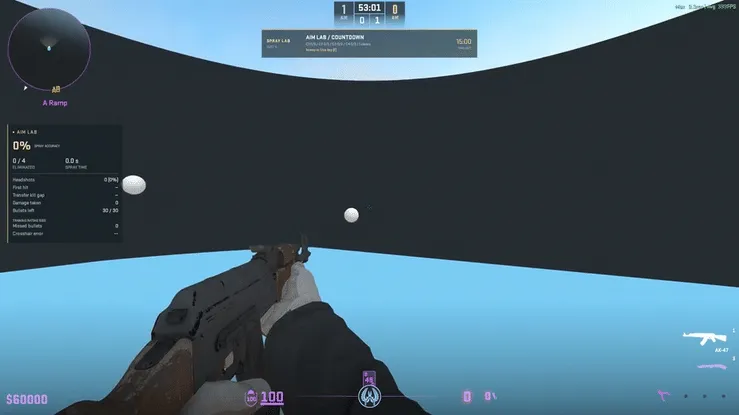
A stand with still and moving balls, no bots. On the map panel this mode is labeled Aim Lab. Settings save in five slots, and you can change almost everything:
- Spray or Burst mode;
- size, speed of targets and distance between them;
- from one to four hits per target;
- random target height;
- wide layouts for long-range transfers.
Free Roam: bots anywhere on Dust2
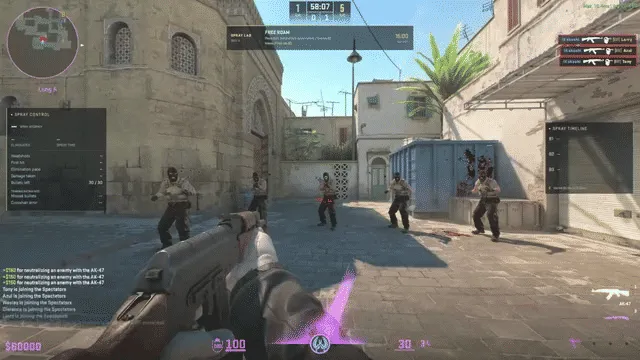
You can walk around the whole map here, place bots, and practice recoil or transfer from any spot. There are two kinds of targets: still ones, and armored bots that respawn at saved spots. Bullet holes can be shown on request, so you can see where the burst landed.
Custom scenarios: recording routes
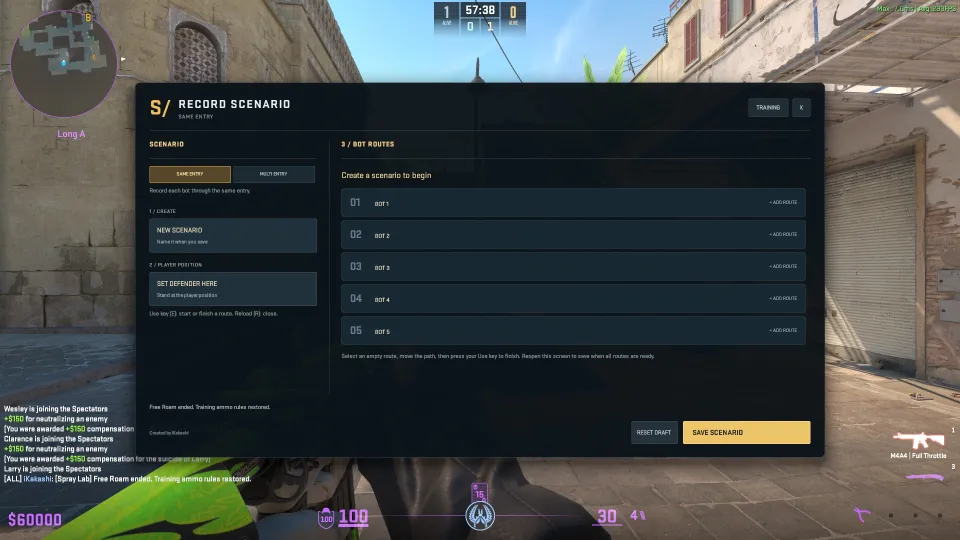
A custom scenario is one defender position and up to five enemy routes. Saved scenarios go to your personal library, separate from the ready-made ones.
- Pick a typeSame Entry or Multi Entry.
- Create a scenarioNew Scenario button. You enter the name when you save.
- Take your positionSet Defender Here saves where you'll stand.
- Record the routesPick an empty route, walk the path, then press the use key. Repeat for each bot, up to five.
- SaveOpen the window again and click Save Scenario. Reset Draft clears the draft. The reload key, R by default, closes the window.
What the stats show
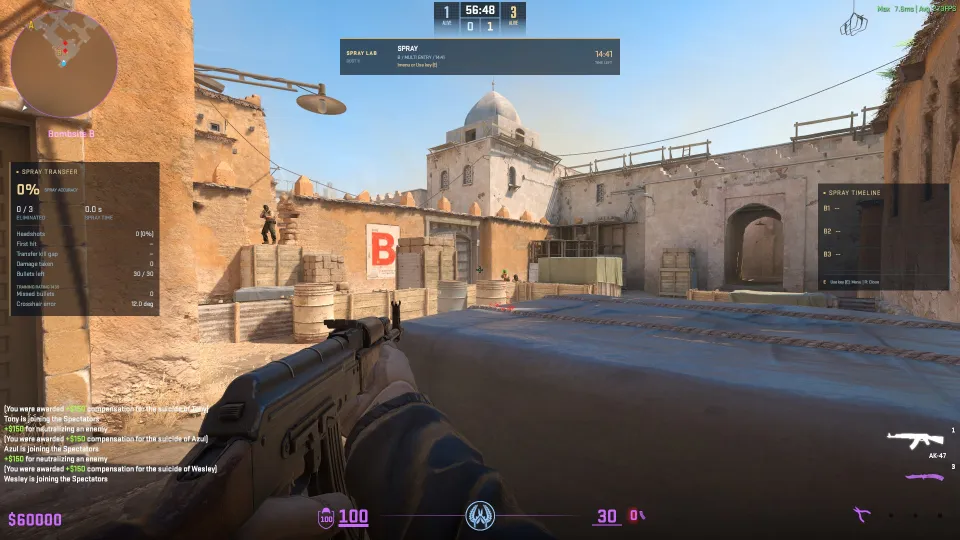
The left panel shows spray accuracy, how many targets you've killed, and burst time. Below that you'll see headshots, first hit, damage taken, ammo left, misses and aim error in degrees. On the right, the Spray Timeline shows the time for each enemy. Session history and charts are stored on your computer, separately for Spray Control and Spray Transfer.
A 15-minute plan
This is how we'd split one short session before a match. It's our order, not advice from the map's author:
- Free Roam, 3 minutesOne stationary bot, the AK-47, and bullet impact marks: the whole burst goes into one target. Watch where the bullets land.
- Target Training, 4 minutesTwo targets in Spray mode with the Target Anchored hint: transfer only, no return fire.
- Bot Training, 5 minutesSame Entry, 2–3 bots that don't shoot. Once you pass a couple of runs in a row, turn on progression.
- No hints, 3 minutesThe same scenario with the hint turned off. This shows whether you remember it or just repeat the line.
How Spray Lab differs from other maps
| Map | What it trains |
|---|---|
| Spray Lab | Spray transfer between enemies on Dust2, recoil hints, custom scenarios |
| Aim Botz | Classic warm-up with bots in a hall, shooting from cover, and spray |
| Fast Warmup | Bots peek from cover, with a recoil trainer and AWP flick shots |
| SCOPE.GG procedural map | A new room and bot layout every time |
| Sensitivity Finder | Finds your sensitivity from a shooting test |
Spray Lab doesn't replace a general aim warm-up. It covers one narrow thing: a long burst across several targets. It works best after your warm-up, when your hand is already loose.
What are the map's limits?
- Training runs on Dust2 only.
- Recoil hints only cover three rifles: AK-47, M4A4 and M4A1-S.
- The map is brand new. The author asks you to report bugs in the Workshop comments: the mode, the scenario and what happened.
If you want to find your sensitivity first, there's a separate map for that:
 Guides
 GuideRead
FAQ
How do you get Spray Lab?
Subscribe to the map on the Steam Workshop, or type host_workshop_map 3834466959 in the console. It's about 270 MB.
What happens if you let go of the fire button?
In Bot Training, the attempt restarts. It does the same if your magazine runs out while enemies are still alive.
Which weapons have recoil hints?
For AK-47, M4A4 and M4A1-S. Hints are optional, and you can turn them off.
Which rifle should you pick?
For big scenarios, use the AK-47: against five armored bots, 20 chest hits from 30 bullets is enough. The M4A4 needs 25 of 30, and the M4A1-S has only 20 bullets, so start it against two or three bots.
Do the bots shoot?
It depends on difficulty. On easy, bots follow their route and don't shoot. On hard, they fire back.
Can you train with a friend?
The author built the map for solo offline training, so the description doesn't mention co-op play.