
CS2 Workshop maps give you a reason to play without matchmaking: practice your aim, clear floors with friends, or build something with the Physics Gun. This roundup features 11 new maps from September 2026 and three picks from previous months that are still near the top of the popularity charts. We left out clones, maps with no description from the author, and maps already covered in earlier roundups or guides.
- In this roundup
- 11 new maps from September and 3 maps from previous months
- Most popular
- Precision Range | Aim Training, by subscriber count among the featured maps
- Most unusual
- Sandbox: csmod, a physics sandbox with building and vehicles
- For co-op
- MIAMI STRIKE, a clear through an endless office tower
- Launch
- Subscribe to the map, then select it under Workshop Maps
We started with the “Most Popular (30 Days)” list filtered by the Map tag on October 3, 2026. It had 112 maps released in September, including 88 duplicates uploaded on the same day. We then removed maps with fewer than 3,000 subscribers and those without an author description. The remaining maps were sorted by what you can do with them: warm up, play with friends, or experiment with mechanics.
CS2 aim training maps: targets, flicks, and 360-degree practice
The four new training maps include a compact range with detailed settings, a warehouse full of ready-made drills, a map with reworked CS:GO effects, and an arena with targets all around you. Pick one based on what you want to do before a match: take your time shooting, beat a time trial, or flick between targets.
Precision Range | Aim Training
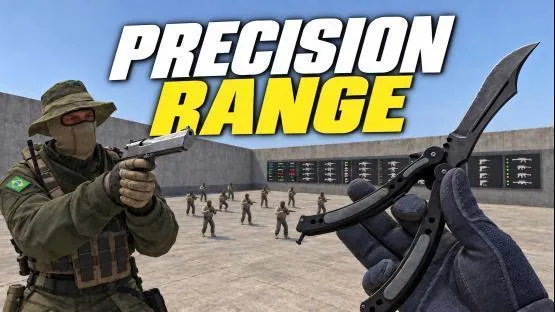
A compact, flat arena with open sightlines and large labels on the panel. FREE PRACTICE lets you run your own drill without a time limit while tracking your kills. 100 KILLS ends after 100 targets and shows your time, kill count, and kills per minute. In 60s RUSH, targets move toward you for 60 seconds. Once time runs out, your result is recorded and no more targets spawn.
You can set 1 to 32 targets, choose from four distances, and set bots to stand still or strafe. Other options include speed, crouching, jumping, armor, and headshots. The map also has screens for practicing peeks, infinite ammo, and hit markers. Common weapons sit along the top of the panel, and PANEL LOCK stops an accidental shot from changing your settings. It’s a good pick if you want to set up one drill and repeat it, tracking your time and kills per minute.
Aim Trainer - Warehouse
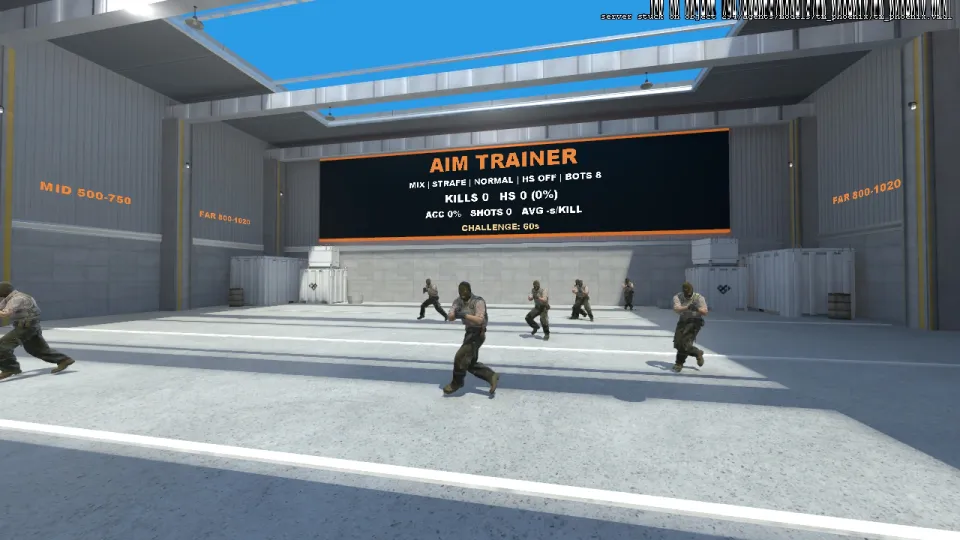
A bright warehouse where you can change settings by shooting icons on the back wall or by typing !m in chat to open the menu. The menu can be switched to Russian. Four preset setups cover warm-ups, strafing headshots, reaction flicks, and AWP duels. You can choose target distances and behaviors, including peeking from cover, rushing you, and firing back.
You can set a single target, enable instant respawns, limit hits to headshots, or give targets a timer. There’s a 60-second challenge and a timed challenge to reach 30 kills; both save your personal bests. The screen and scoreboard show kills, headshot percentage, accuracy, and time per kill. We’d start here if you don’t want to build a drill from scratch: the presets take you from a basic warm-up to a specific task in a few clicks.
CSGOTRAINER
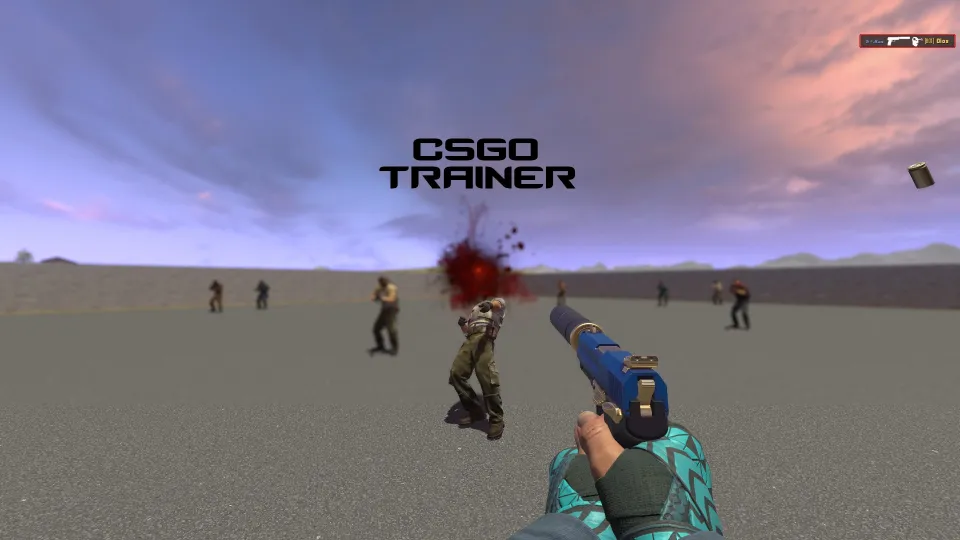
A training map focused on sound and visual feedback inspired by CS:GO. The author reworked the audio to account for distance and added blood effects adapted for Source 2. You can switch between CS:GO and CS2 audio, and toggle blood particles without restarting. These are the author’s take on the effects, so don’t expect an exact recreation of CS:GO.
Use the panel at spawn to set 1 to 15 bots, choose from nine spawn zones, and pick one of three bot behaviors. The map has Spray Training, Nade Training, and AWP Training modes; type !help to see their commands. Your settings are saved, and you can adjust the chance of bots spawning with armor and a helmet. Friends can join and choose their own weapons, though the author warns that some features haven’t been fully tested with multiple players. That freedom to pick your weapon makes the map an interesting option for group practice.
FAST 360 REFLEX/AIM TRAINING MAP
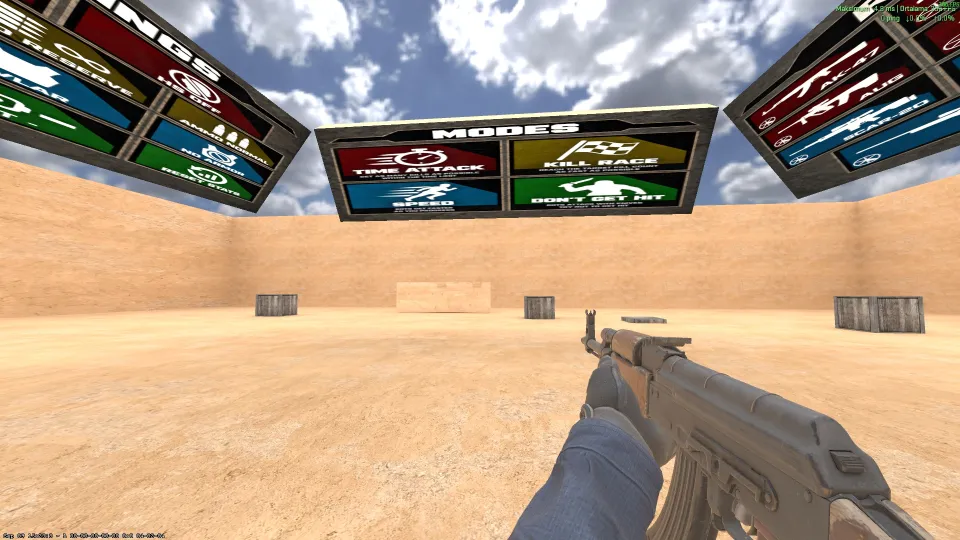
An arena where moving bots spawn all around you. This is more than just keeping your crosshair on a group of targets in front of you: the map is built for 360-degree aim practice and reaction time. You can choose your weapon, adjust the bots and tweak the drills. Time Attack mode puts you up against the clock.
The stats track your kills, most recent result, best result, and average. Pick this map if you want to flick between directions more often and compare runs. Unlike slower practice against stationary targets, this one is all about moving bots and keeping your aim active in every direction.
CS2 maps to play with friends: co-op, sandbox, and new rules
These maps change the whole experience. One has you climbing an office tower, another lets you build and mess around with physics, and a third swaps hostages for bags of cash. Check each map’s limitations before you launch: some modes don’t have all their settings built in.
MIAMI STRIKE
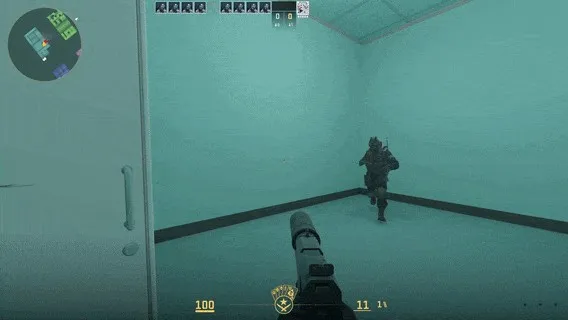
A solo or co-op PvE map inspired by Hotline Miami. Clear an endless office tower, taking the elevator between floors. In the lobby, choose one of 12 masks with different abilities and bonuses, then pick one of four difficulty levels. The number of enemies scales with your player count.
Headshots and knife hits are lethal, but a shot to the body or limbs can leave you alive. You can throw your weapon, so an empty magazine doesn’t make it useless. The map saves your completion records. Recent updates added a music toggle and lobby hints, and fixed bots shooting through doors. It’s a good pick for a group that wants to tackle the same challenge together and see how far each run gets.
Sandbox: csmod
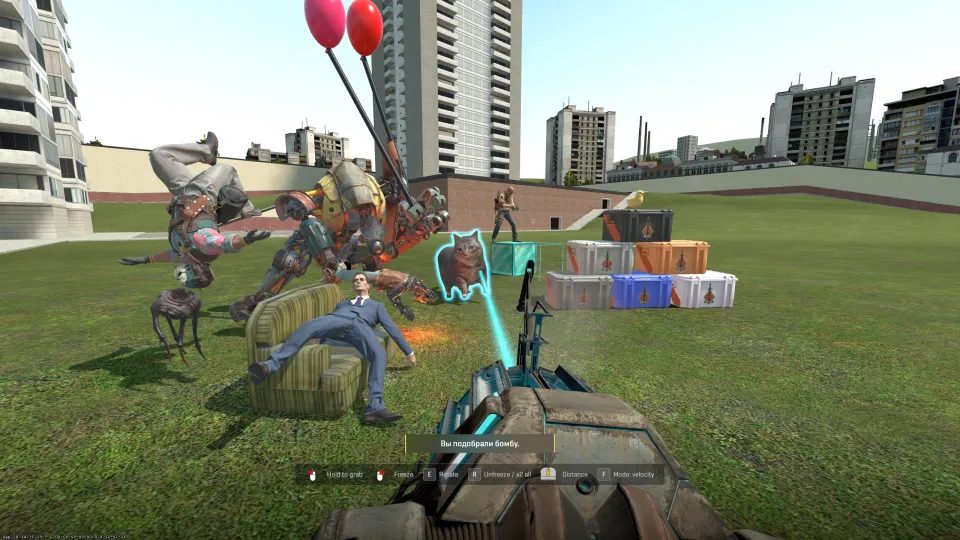
A physics sandbox on gm_construct, inspired by Garry’s Mod. It has hundreds of objects, furniture, building materials, and ragdoll models from Half-Life: Alyx and CS2. Use the Physics Gun and Gravity Gun to grab, rotate, pin, and throw objects. The Tool Gun gives you access to welding, ropes, balloons, engines, copying, painting, and resizing.
For building, you get 70 types of Minecraft blocks on a shared grid, with size and durability settings. There are drivable cars, trucks, helicopters, planes, and a hoverboard, plus unusual weapons and grenades that change objects’ states or gravity. You can even build a mini-golf course and turn yourself into the ball. To us, this is the most unusual map in the roundup. Instead of following a set round, you make up your own activities, with tools for both building and physics experiments.
The author of Sandbox: csmod warns that the map isn’t crash-proof. A large physics experiment can crash the game, so don’t expect every creation to work without issues.
35hp Default
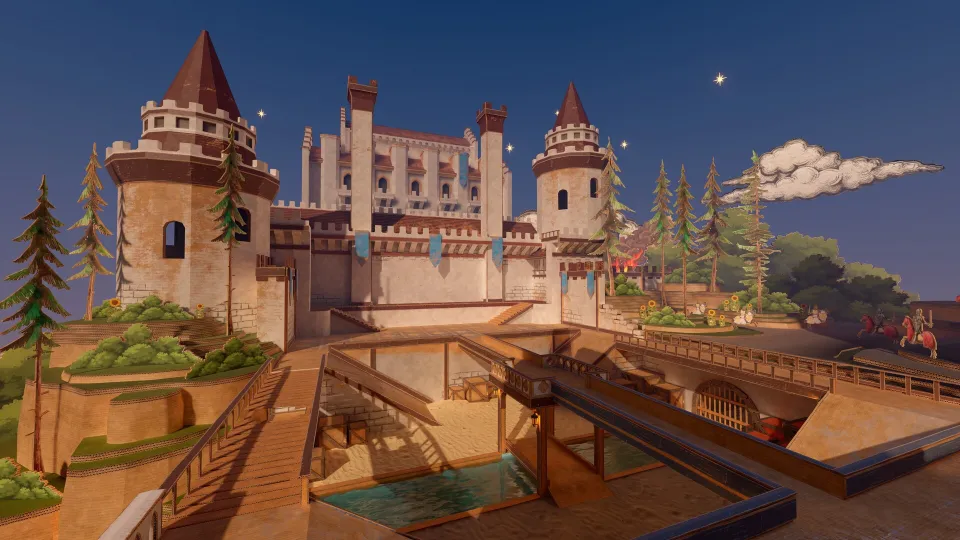
A modern rework of the classic map for 35 HP mode. The author kept its familiar structure while updating the visuals and details. Pick it if you want a fresh take on a familiar map, but check where the mode’s rules need to be set before launching.
This map is designed for a server-side mode. It doesn’t have built-in HP settings or bot support; the server controls the mode settings. Subscribing to the map won’t turn a local launch into a ready-to-play 35 HP match. You’ll need to configure the server.
CS: Lambda - Rush Gamemode
This mod brings weapons and visuals from the Half-Life universe to CS2. It includes custom character and weapon models, sounds, an RPG, crossbow, flamethrower, and energy weapons. The fake grenade is replaced by a throwing knife. The pulse rifle has an alternate orb shot, while the Sphield grenade creates a spherical energy shield that blocks bullets and projectiles.
Weapons are rebalanced for more mobile gunplay, and health and armor regenerate slowly. Most of the new weapons are available through a separate buy panel. The mod only works with its included maps for now; you can’t add it to any map you choose. It’s a good fit if you want to keep the core CS2 experience but swap the familiar arsenal for weapons with different mechanics.
Money Heist: Italy
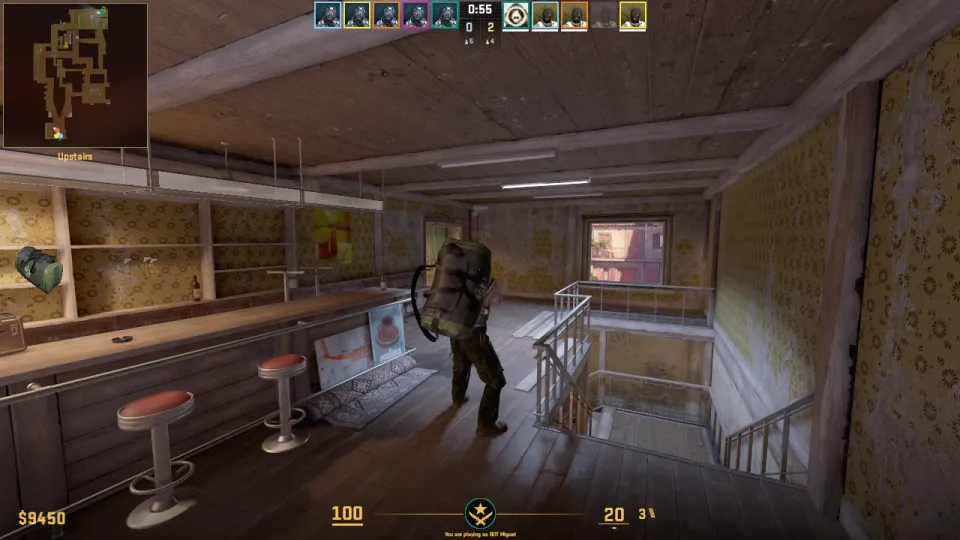
An Italy variant that flips the objective of the hostage mode. Instead of hostages, bags of cash are scattered around the map. The Terrorists have to grab them and bring them back to their spawn. The map feels familiar, but the new objective gives you a reason to revisit it with your friends.
This is an early build, and the author warns about bugs and balance issues, especially with the reward for picking up and delivering a bag. September’s updates focused on visibility, collisions around the windows at the Terrorist spawn, and the HUD indicator for the carried bag. We’d try it for the unusual objective, not serious competition: the mode’s economy still needs work.
Classic maps: familiar Inferno and mid-sized Sunray
If you’re not after a separate game mode, two of the new CS2 Workshop maps offer a more familiar experience. INFERNO REFORGED keeps the classic layout, while Sunray is built for fast rounds with friends.
INFERNO REFORGED
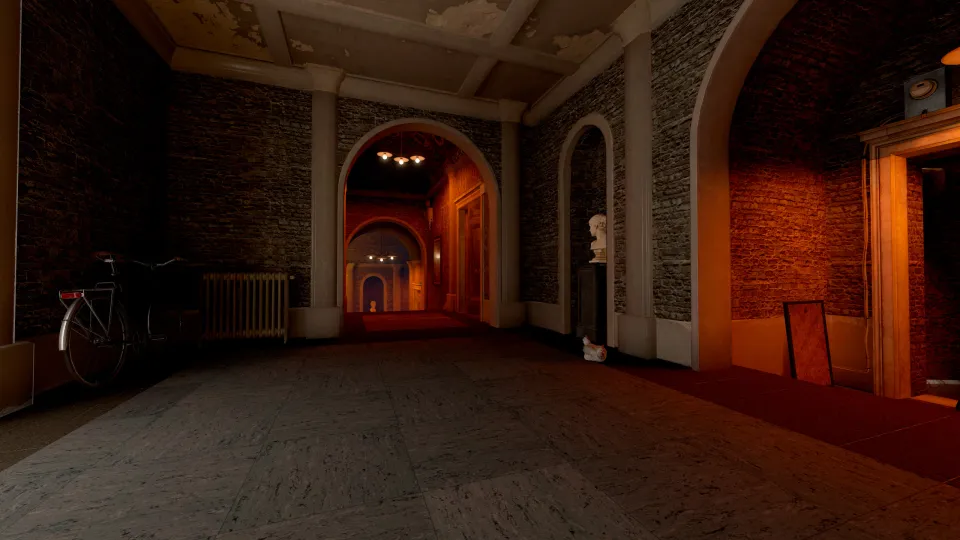
A reworked Inferno with updated lighting, environmental details, and visuals. The author keeps the familiar competitive layout and gameplay, focusing mainly on the look of the map. Pick it to see the usual routes in a new style without switching to a separate minigame.
Sunray
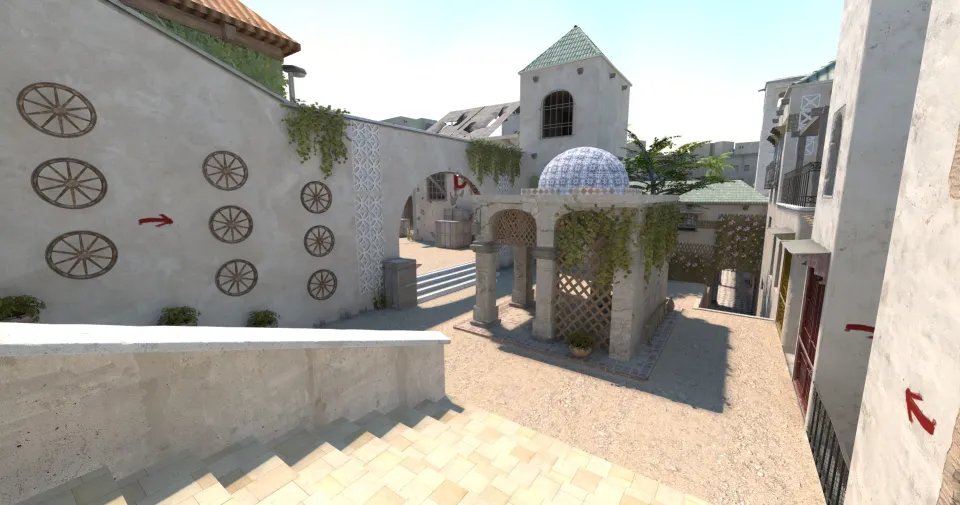
A mid-sized map built for fast, lively rounds. The author recommends it for warm-ups and playing with friends, and makes its casual focus clear: this is for fun, not competitive play. Pick it for a match with friends on a new map that isn’t designed for competition.
Back in the charts: a solo campaign and physical bullets
These three maps came out before September but are now near the top of the popularity charts. We’ve listed them separately so they don’t get mixed in with this month’s new releases. The picks include a full solo campaign, an experimental Mirage, and another training map.
csQuake - Singleplayer campaign
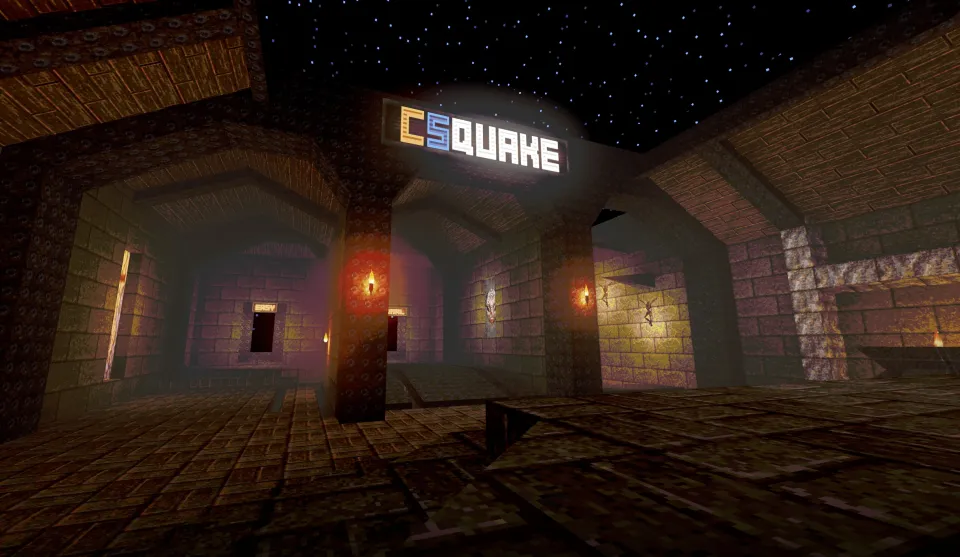
A solo campaign inspired by Quake, built inside CS2. It includes the first Shareware episode, the full set of weapons, levels that stay close to the originals, and a reworked boss fight. The character controls, movement, physics, and enemy behavior were built specifically for this mod, which uses assets from LibreQuake.
This map is designed for one player. The author explains the limitation: custom movement and physics are handled server-side, so even a small delay makes your inputs feel sluggish. It’s for players who want to play through a campaign without leaving CS2.
SLOWRAGE MIRAGE - PHYSICAL BULLETS
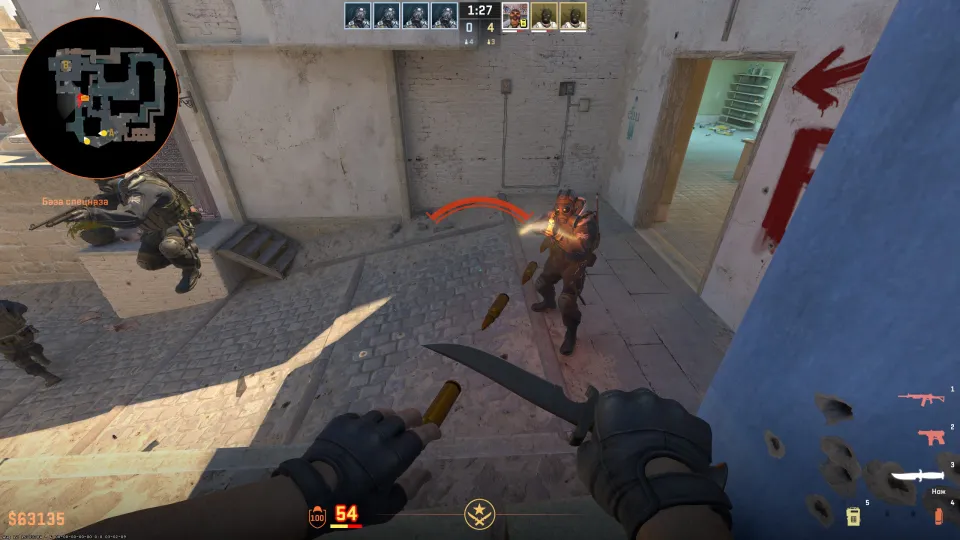
An experimental Mirage map for playing with friends. Every shot creates a separate physical bullet that travels at 300 Hammer units per second. Regular hitscan damage is disabled; players only take damage when a physical bullet hits them. Bullets can also damage destructible objects, while grenades and knives work as usual.
You can dodge the bullets as they fly toward you. That change in the rules is the main reason to try the map: the space feels familiar, but there’s time to move between the shot and the hit. It’s an easy experiment for a group, and the unusual mechanic changes every firefight.
COMPLETE TRAINING
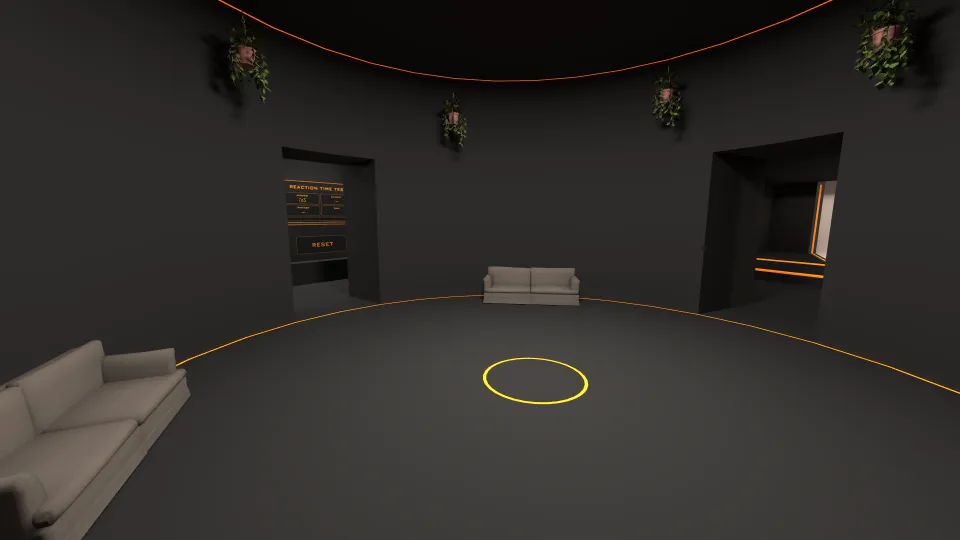
A training map where you can choose target size, quantity, and movement, as well as your weapon and drill length. You can also set how long bots stay before disappearing and how many spawn in total. Good for a pre-match warm-up if you want control over the targets and how long you practice.
How to launch a CS2 Workshop map
Once you subscribe, the map downloads automatically and appears in the Workshop Maps list when you choose a map. You can launch it from the Play menu or use a console command with its ID. Our guide to the SCOPE.GG procedural map walks you through the setup, map settings, and playing with a friend.
- Open the Workshop page for the map you want and subscribe.
- Wait for the map to download automatically.
- In CS2, open Play, then Workshop Maps.
- Choose the map and launch it on a local server.
Launch with the map’s ID
In Settings, enable “Enable Developer Console” and open it with the ~ key. The host_workshop_map command followed by the map ID downloads the latest version and launches it on your server. For example, enter host_workshop_map 3802425231 to launch Precision Range | Aim Training.
The map ID is the number after id= in its Steam page URL. For the host_workshop_map command, copy only that number, not the whole link.
Lobby and Private Match setup for co-op
Create a Play with Friends lobby, invite players, choose a map, and set it to Private Match. Once the local server starts, the map will download automatically for your friends. Make sure the map supports the mode you want. For example, MIAMI STRIKE supports co-op, while csQuake - Singleplayer campaign is for solo play.
For 35hp Default, keep the server settings in mind: loading the map and setting up the 35 HP mode are separate steps.
All maps in this roundup: mode, subscribers, and file size
The table shows current subscriber counts, not lifetime subscriptions. Follow the link to open a map’s Workshop page, subscribe, and read the author’s description. Maps from previous months are marked in the Type column.
| Map | Type | Subscribers | Size (MB) | Map page |
|---|---|---|---|---|
| Precision Range | Aim Training | Training | 95,325 | 19 | Steam Workshop |
| Aim Trainer - Warehouse | Training | 83,145 | 29 | Steam Workshop |
| CSGOTRAINER | Training | 77,756 | 42 | Steam Workshop |
| FAST 360 REFLEX/AIM TRAINING MAP | Training | 36,291 | 33 | Steam Workshop |
| MIAMI STRIKE | Mode | 12,139 | 205 | Steam Workshop |
| Sandbox: csmod | Mode | 10,472 | 1,124 | Steam Workshop |
| 35hp Default | Mode | 6,317 | 347 | Steam Workshop |
| CS: Lambda - Rush Gamemode | Mode | 5,757 | 678 | Steam Workshop |
| Money Heist: Italy | Mode | 4,338 | 428 | Steam Workshop |
| INFERNO REFORGED | Classic map | 4,430 | 543 | Steam Workshop |
| Sunray | Classic map | 3,635 | 115 | Steam Workshop |
| csQuake - Singleplayer campaign | Mode, previous months | 16,568 | 224 | Steam Workshop |
| SLOWRAGE MIRAGE - PHYSICAL BULLETS | Casual, previous months | 7,811 | 228 | Steam Workshop |
| COMPLETE TRAINING | Training, previous months | 57,514 | 106 | Steam Workshop |
FAQ
How do you download a CS2 Workshop map?
Open the map’s page in the Steam Workshop and subscribe. It’ll download automatically, then appear in the Play menu under Workshop Maps.
How do you play a Workshop map with friends?
Create a Play with Friends lobby, invite the others, and choose a map. Set it to Private Match and start a local server; your friends’ copies will download automatically. The map itself needs to support co-op.
How do you launch a Workshop map through the console?
Enable the developer console in Settings and open it with the ~ key. Enter host_workshop_map, then a space and the map’s ID. For example: host_workshop_map 3802425231. The command downloads the latest version and launches it on your server.
Why are some popular maps missing from this roundup?
The main part of this roundup covers maps released during September 2026. We left out duplicate maps uploaded on the same day, maps with fewer than 3,000 subscribers, maps with no author description, and maps already covered in our roundups or guides. We added three maps from previous months separately because they’re now near the top of the popularity charts.