There's no official CS2 app for phones: Valve releases the game only for Windows and Linux. You can still play on a phone in two ways: stream CS2 from your PC with Steam Link, or run it in the GeForce NOW cloud. Below is how each works, what it needs, and what to expect from shooting on a small screen.
- Mobile version
- no, Windows and Linux only
- Steam Link
- the game runs on your PC, and your phone shows the picture
- GeForce NOW
- the game runs on an NVIDIA server, and CS2 is in the list
- Controls
- mouse and keyboard on the phone; no gamepad in CS2's list of supported features
- Without the game
- Steam app: inventory, trades, Community Market
Is CS2 available on phones?
On Steam, Counter-Strike 2 is listed for two platforms: Windows and Linux. Valve has not released a mobile version, and it isn't on Google Play or the App Store. Anything called "CS2 Mobile" or "Counter-Strike 2 on Android" was not made by Valve.
Unofficial builds like this are dangerous for more than being a different game. If an app asks you to sign in to Steam, your login and password go to its authors, and with them your inventory of skins. Sign in to Steam only in the official app and keep Steam Guard turned on.
How to play CS2 on a phone with Steam Link
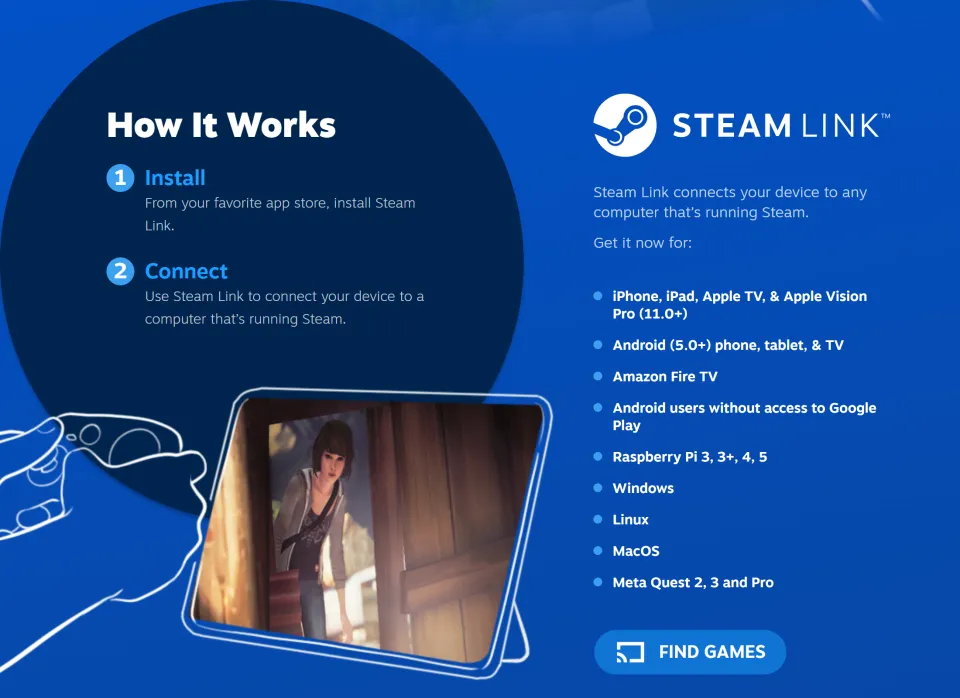
Steam Link is Valve's official app. The game runs on your PC, and your phone receives video and sends back your inputs. So your phone's power barely matters. What you need is a PC that runs CS2 well and a good connection between the two.
- Launch Steam on the PC where CS2 is installed, and stay signed in.
- Install Steam Link on your phone: from the App Store for iPhone and iPad with iOS 11.0 or later, or from Google Play for Android 5.0 or later.
- Open Steam Link. The app will find your Steam PC and ask you to enter a confirmation code on it.
- Connect a mouse and keyboard to your phone via Bluetooth or a USB adapter.
- Launch CS2 from your library directly in Steam Link.
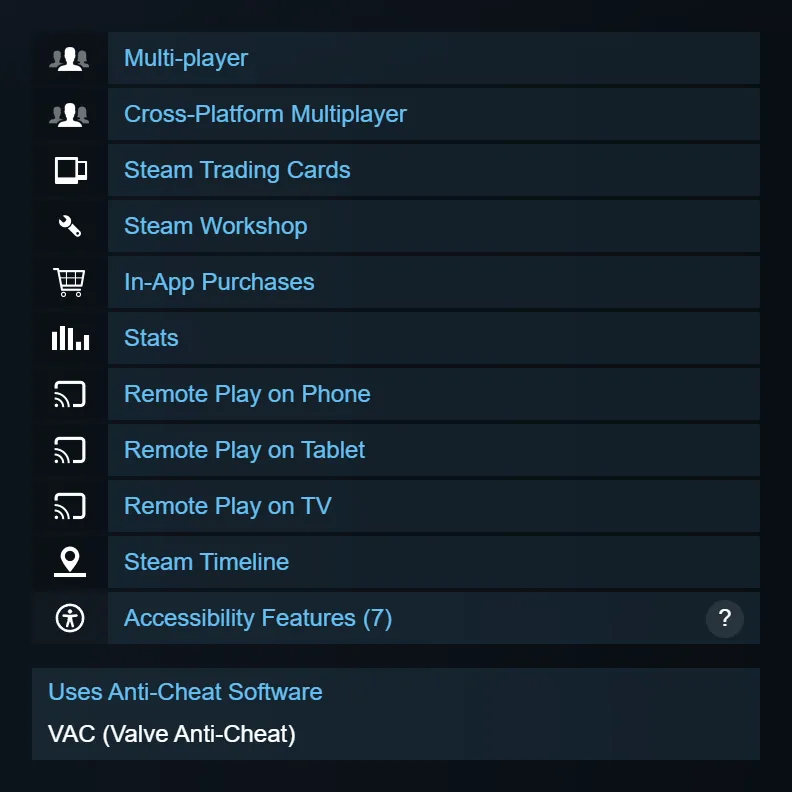
The CS2 Steam page lists Remote Play on phones, tablets, and TVs: Valve has checked that streaming works on these devices. CS2 is not listed as supporting gamepads, so touch buttons and a controller are a poor substitute. Without a mouse, aiming is nearly impossible.
Steam Link works best at home, when your PC and phone are on the same network and the PC is wired. Streaming over mobile data also works, but the stream adds its own delay on top of normal ping, and you'll notice it in ranked matches. Where CS2 lag comes from and how to check it: see our guide to ping and packet loss.
CS2 in the GeForce NOW cloud
If you don't have a PC or yours is weak, you can run CS2 in NVIDIA's GeForce NOW cloud service. The game runs on NVIDIA's server, and you sign in to your Steam account. Your inventory and ranks stay the same. The service lists CS2 under its old name, Counter-Strike: Global Offensive. It's the same Steam game with app ID 730, and NVIDIA marks it as fully optimized.
| What you need | NVIDIA requirement |
|---|---|
| Android | Android 7.0 or later, 1 GB of free storage |
| iPhone and iPad | iOS and iPadOS 15.4 or later |
| Internet for 1280x720, 60 FPS | 15 Mbps or more |
| Internet for 1920x1080, 60 FPS | 25 Mbps or more |
| Latency to NVIDIA data center | under 80 ms |
GeForce NOW system requirements on NVIDIA's website, November 2026.
NVIDIA recommends a wired connection or a 5 GHz router. The service isn't available in every country, so check NVIDIA's website to see if it's in yours before you count on it. On Android, you can connect a mouse and keyboard to your phone. On iPhone and iPad, NVIDIA doesn't advise using them, since they may not work at all in Safari. CS2 has no gamepad support, so on iPhone in the cloud there's nothing to aim with.
What you can do on a phone without the game
A lot of CS2 tasks work on your phone without streaming. In the official Steam app, you can view your inventory, accept and confirm trades, and list skins on the Steam Community Market. To avoid a fake trade, read our article on trade protection. To find your own link, see our guide to trade links.
You can't watch demos this way: a match recording only opens in CS2 on a computer. See how to find and enable a demo in our separate guide.
Frequently asked questions
Can you download CS2 on Android?
No. Google Play and the App Store don't have Valve's CS2, and apps with that name are not made by Valve. On Android, you can only play by streaming, through Steam Link from your PC or in GeForce NOW.
Can you play Premier on a phone?
Technically, yes: with Steam Link or GeForce NOW, it's the same CS2 with your account. But stream delay and a small screen make shooting noticeably harder, so play ranked matches on a PC.
Why does CS2 lag through Steam Link?
The network is usually the culprit. Your phone and PC connect over 2.4 GHz Wi-Fi, or the stream runs over mobile data. Plug your PC into a cable, connect your phone to a 5 GHz network, and check whether your PC has enough FPS for CS2.
How do you watch a CS2 demo on a phone?
There's no direct way: demos open only in CS2. You can launch a demo on your PC and watch it through Steam Link.