
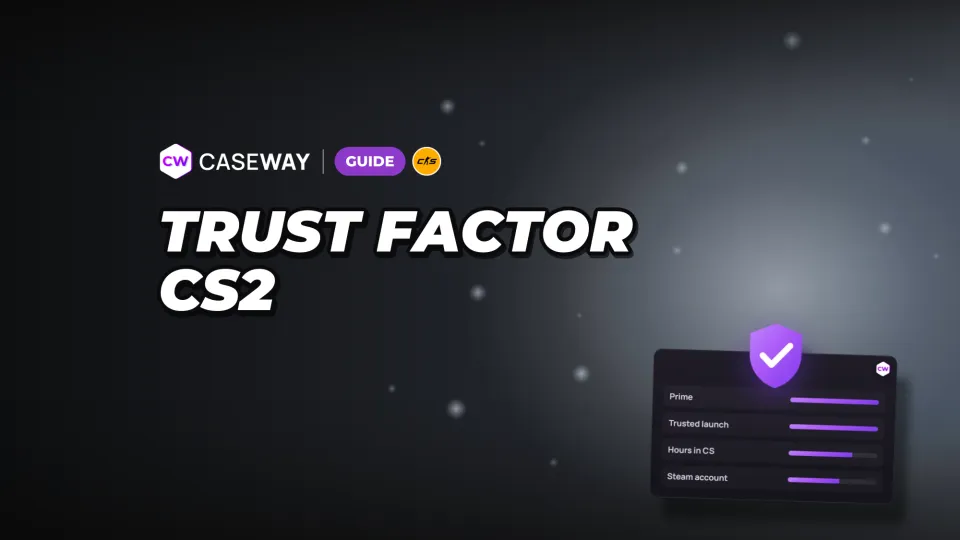
If you’re seeing more suspicious opponents in your matches, that alone doesn’t tell you your rating. Trust Factor is hidden in both CS2 and Steam. The one visible signal is a lobby warning that a friend’s Trust Factor is lower than yours.
- Rating
- Not shown in the game or on Steam
- Matchmaking
- Matches players with similar Trust Factors
- Prime
- Improves your Trust Factor
- Launch mode
- Trusted Mode increases your Trust Factor for matchmaking
What Trust Factor is and what it does
Trust Factor is a hidden account rating that the game uses for matchmaking. The system matches players with similar Trust Factors. Its goal is to put together people who are likely to enjoy playing with each other.

Your rating takes your behavior and Steam account details into account. Your rank is one of the factors, too. But it’s not just about your skill level: the system looks at how you play CS and what you do outside Counter-Strike.
Valve doesn’t show your rating or the full list of factors. The company says players shouldn’t have to think about every action they take, and that the model keeps changing. The system aims to improve the experience of playing together. Valve also says most players received fewer reports with this matchmaking, whether or not they had Prime.
What affects Trust Factor in CS2
Valve has shared some of the factors in its Trust Factor system description, but keeps the full list secret. The known factors contribute to an overall rating, but no single action guarantees it will go up.
- Time in CS. The system considers how long you’ve played Counter-Strike.
- Cheating reports. Valve has named the frequency of these reports as one of the factors.
- Time in other Steam games. The system also considers account activity outside CS.
- Phone number and rank. Valve has named both as factors.
- Prime. Prime status in CS2 improves your Trust Factor.
- Trusted Mode. This mode increases your Trust Factor for matchmaking.
Launching another Steam game doesn’t guarantee your next CS2 match will be better. Valve hasn’t published the weights for any of the known factors. The company also hasn’t explained exactly how your phone number or rank changes your rating.
Can you check your Trust Factor in CS2, and what does a lobby warning mean?
You can’t check your own rating, but you can compare your Trust Factor with a friend’s in a lobby. The game says it uses Trust Factor for matchmaking. If another player’s rating is lower than yours, you’ll see a warning.
Only Prime players see the warning. Before matchmaking starts, the game tells them if a friend has a lower Trust Factor. If you don’t have Prime, you won’t see a message, even if your party includes a player with a lower rating. As a player’s Trust Factor rises, other players see this warning less often.
- “Matchmaking quality may change slightly because player <nick> has a lower Trust Factor than you.”
- “Matchmaking quality will change significantly because player <nick> has a much lower Trust Factor than you.”
The warning shows the difference between players in the group, but doesn’t reveal anyone’s rating. It applies to the whole group: Valve says matchmaking uses the lowest Trust Factor among its members. In the second case, the game also explains that it will look for opponents with a Trust Factor much lower than yours.
Don’t take a warning about a friend as proof they’re cheating. The reasons behind their rating are hidden; the game only tells you their Trust Factor is lower.
No warning doesn’t tell you your exact rating, either. “Low” in a lobby only means “lower than yours,” and the game compares only players who are currently in the same group.
How to improve your Trust Factor without trying to game the system
Valve recommends being a good member of the CS and Steam communities. The practical advice is simple: play fair and behave yourself. The more you play, the more information the system gets about your account.
A new CS2 account doesn’t automatically start with a low Trust Factor. The system also looks at your past Steam activity, so long-time, well-behaved Steam users can have a high one from their very first match.
- Play fair and don’t give people a reason to report you. Cheating reports are one of the known factors, and good behavior is Valve’s direct recommendation.
- Keep playing. The more active you are, the more information the system gets about your account.
- Consider Prime. Prime status improves your Trust Factor.
- Use Trusted Mode. It limits interference from third-party programs and increases your Trust Factor for matchmaking.
- Don’t buy someone else’s account. Valve warns that an account’s Trust Factor transfers with it, and purchased accounts usually have a very low rating.
Improving your Trust Factor and getting matched with Prime players are 2 separate benefits of the same status. Prime in CS2 also matches you with other Prime players and gives you access to exclusive items.
You can’t calculate your rating in advance. Valve doesn’t share the formula, and spending more time in the game only gives the system more information. We’d start by checking your launch mode. It’s an easy thing to change, and the game clearly warns you about the consequences.
Trusted Mode and third-party programs
Trusted Mode stops most third-party programs from interacting with CS2 and increases your Trust Factor for matchmaking. If you launch the game without it, you’ll see a separate warning.
Trusted Mode is enabled by default in CS2. It blocks third-party files from being injected into the game process. Launching the game outside Trusted Mode doesn’t automatically result in a penalty or a ban, but the Trust Factor system takes these launches into account over time, and your rating may drop. In Trusted Mode, any injection into the game is treated as intentional and can result in a VAC ban. If you need a third-party program that Trusted Mode blocks, you’ll have to launch the game with the -allow_third_party_software parameter, knowing it could hurt your Trust Factor. If you start incompatible software after launching the game in Trusted Mode, you may be disconnected from the match. The resulting cooldown can’t be lifted.
What the “Continue” button does
CS2 warns that third-party programs may interact with the game. If you click “Continue,” your Trust Factor may go down. To return to Trusted Mode, choose “Restart in Trusted Mode.” This button prevents the game from interacting with any programs.
Why incompatible files block access to VAC-secured servers
If incompatible files interact with the game, CS2 won’t let you join VAC-secured servers. To get back in, restart the game in Trusted Mode.
A permanent “Untrusted” status is different. It blocks you from official servers entirely, while a warning about a friend only concerns matchmaking quality.
Why color bars and profile checks don’t show your rating
Valve hasn’t named any Trust Factor colors or published a numeric scale. The game only shows warnings about differences between players in a lobby.
Your hidden rating isn’t available in CS2 or on your Steam profile, so no third-party service can reliably show it based on your account. Claims that a service can “check your Trust Factor” don’t reveal Valve’s formula. The game itself lets you compare ratings in a lobby.
Frequently asked questions
How can you check your Trust Factor in CS2?
You can’t see your rating in the game or on your Steam profile. In a lobby, you can only compare it with a friend’s. If their Trust Factor is lower than yours, CS2 shows a warning.
How can you improve your Trust Factor?
Play fair and don’t give people a reason to report you. Valve recommends being a good member of the CS and Steam communities and continuing to play so the system can learn more about your account. Prime improves your Trust Factor, and Trusted Mode increases it for matchmaking.
Does Prime affect Trust Factor?
Yes. Prime status in CS2 improves your Trust Factor. Prime also matches you with other Prime players and gives you access to exclusive items.
What does a lobby warning about a friend’s Trust Factor mean?
The message doesn’t explain why your friend has that rating. It means their Trust Factor is lower than yours, which may affect matchmaking quality for your group. With a stronger warning, the game will look for opponents whose Trust Factor is much lower than yours.
Does Trust Factor have colors?
Trust Factor has no official colors or numeric scale. Unofficial color categories don’t reveal your hidden account rating. Look for CS2 warnings about differences between players in a lobby.