There's no mobile Dota 2: Valve releases the game for Windows, macOS and Linux. You can still play it on your phone by streaming from your computer via Steam Link or in the GeForce NOW cloud. For phones, Valve has another game with Dota heroes: Dota Underlords. Below, we explain how each method works and how to control your hero without a mouse.
- Mobile version
- no, only Windows, macOS and Linux
- Steam Link
- the game runs on your PC, and the phone shows the picture
- GeForce NOW
- the game runs on NVIDIA's server, and Dota 2 is in the list
- No mouse
- the screen works like a touchpad: two fingers for a right click
- For phones
- Dota Underlords, Valve's auto battler with Dota heroes
Is Dota 2 available on phones?
On Steam, Dota 2 is listed for three platforms: Windows, macOS and Linux. Valve has never released a mobile version, so Dota 2 isn't on Google Play or the App Store. Apps called "Dota 2 Mobile" are made by other companies, not Valve. They are separate mobile MOBAs, and your account and Dota rank don't carry over to them.
If an app asks you to sign in to Steam, your login and password go to its authors, and with them your Dota items. Sign in to Steam only in the official app, and keep Steam Guard turned on.
How to play Dota 2 on a phone via Steam Link
Steam Link is Valve's official app. Dota 2 runs on your computer, while the phone receives the video and sends back your touches and clicks. Phone power barely matters: you need a computer that runs Dota 2 well (see the system requirements guide for what that takes) and a solid connection between the two.
- Start Steam on the computer where Dota 2 is installed and stay signed in.
- Install Steam Link on your phone: on the App Store for iPhone and iPad with iOS 11.0 or later, on Google Play for Android 5.0 or later.
- Open Steam Link: the app finds the computer with Steam and asks you to enter a confirmation code on it.
- Launch Dota 2 from your library right in Steam Link.
On Steam, Dota 2 has no Remote Play badge for phones. Per Steam's help page, you can stream any game between your own devices, and the badge means Valve has tested the game specifically in Steam Link. Dota 2 will launch, but it has no convenient phone controls, so you'll have to set them up yourself.
Streaming works best at home: connect the computer to your router with a cable and the phone to 5 GHz Wi-Fi. On mobile data, the stream adds its own lag on top of your normal ping.
How to control your hero without a mouse
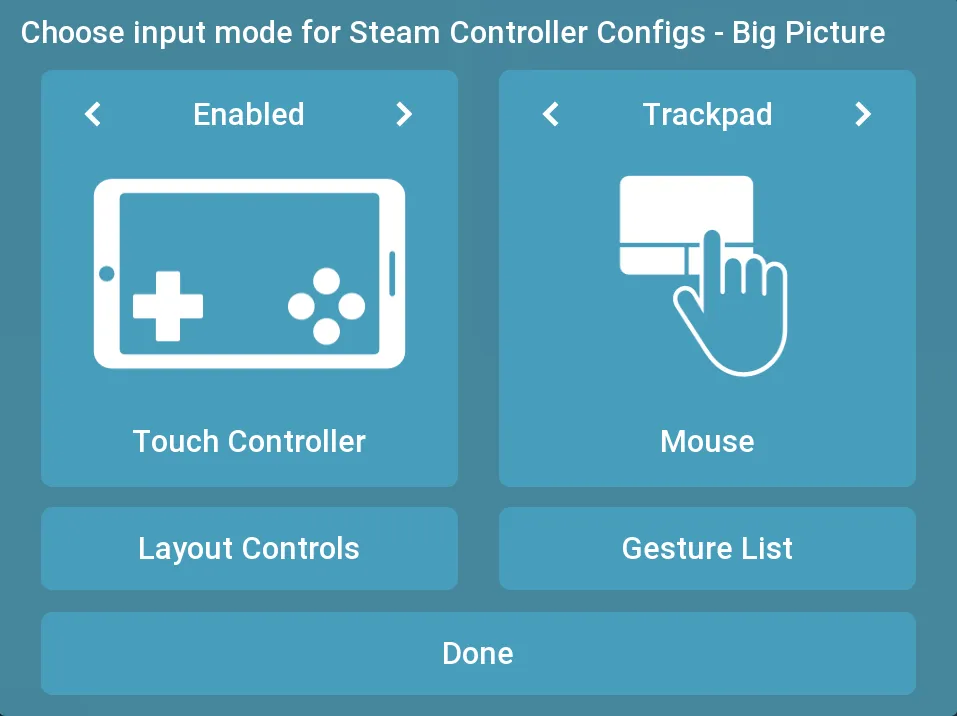
If no controller is connected to your phone, Steam Link turns on touch controls by itself. The "..." button in the top left corner opens settings, where you pick a mouse mode and an on-screen button layout. There are three mouse modes.
| Mode | How it works | For Dota 2 |
|---|---|---|
| Trackpad | a finger moves the cursor; a one-finger tap is a left click, two fingers a right click, three fingers the on-screen keyboard | works well: the right button moves and attacks the hero |
| Trackpad cursor | same, but the zoomed screen follows the cursor | handy for zooming in on small interface elements |
| Direct Cursor | a tap is a left click wherever you touch | awkward: there's no right click, so you have no way to move |
Modes according to Steam's "Touch controls in the Steam Link app" help page.
You can tap abilities and items directly on the bar at the bottom of the screen, but on a phone those icons are small, and an on-screen keyboard is too slow for three-finger fights. Steam Link lets you place your own buttons on screen and bind keys to them in Steam Controller settings in Big Picture mode, like a gamepad layout. You can zoom in on small text with a pinch.
All of this is more of a backup plan. It's noticeably easier to play on a tablet, and best of all with a Bluetooth mouse and keyboard. Then the phone works just as a screen.
Dota 2 on GeForce NOW cloud
If you don't have a computer or yours is weak, you can run Dota 2 in NVIDIA's GeForce NOW cloud service. The game runs on NVIDIA's server, and you sign in to your Steam account, so heroes, items and rank stay the same. Dota 2 is in the service's game list and marked as fully optimized.
| What you need | NVIDIA requirement |
|---|---|
| Android | Android 7.0 or later, 1 GB of free storage |
| iPhone and iPad | iOS and iPadOS 15.4 or later |
| Internet for 1280x720, 60 FPS | from 15 Mbps |
| Internet for 1920x1080, 60 FPS | from 25 Mbps |
| Latency to NVIDIA data center | under 80 ms |
GeForce NOW system requirements from NVIDIA's website, November 2026.
The service isn't available in every country, so check NVIDIA's website to see whether it's in yours before you count on it. On Android you can connect a mouse and keyboard to your phone, but NVIDIA doesn't recommend it on iPhone and iPad, where they may not work in Safari at all.
Dota Underlords is Valve's game for phones
Valve's only game with Dota heroes made for phones is Dota Underlords. It isn't a MOBA but an auto battler: you recruit heroes, place them on a board, upgrade them, and the battle plays out on its own. The game is free, available on the App Store (iOS 12.0 and later), Google Play and Steam, and on a phone you can play against people sitting at a computer.
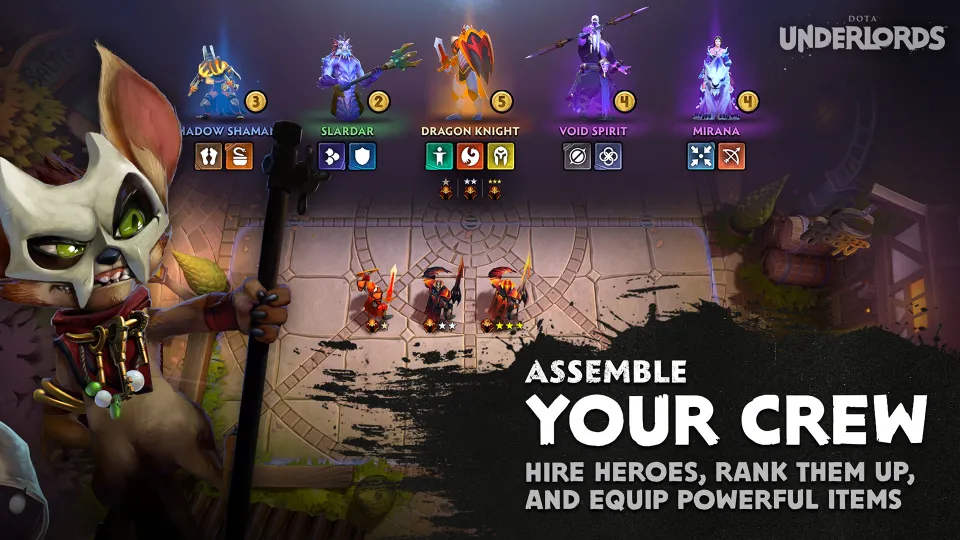
Keep in mind the game hasn't been developed for a long time. Valve released the last update with hero changes on November 19, 2020. Rank, items and matches in Dota 2 aren't connected to Underlords.
What you can do on your phone without playing
The official Steam app lets you view your Dota 2 inventory, accept and confirm trades, and list items on the Community Market. You'll also find your trade link there. For where to find it, see the trade link guide. For upcoming pro matches, check the Dota 2 tournaments calendar.
Frequently asked questions
Can you download Dota 2 on Android?
No. Google Play and the App Store don't have Valve's Dota 2. On Android you can only play through streaming, either via Steam Link from your computer or in GeForce NOW. Valve's own mobile game with Dota heroes is Dota Underlords.
Can you play ranked on a phone?
Technically yes: via Steam Link or GeForce NOW, it's the same Dota 2 with your account. But with touch controls you'll be slower than opponents using a mouse, so play ranked matches with a mouse and keyboard.
Why does Dota 2 lag through Steam Link?
The network is usually to blame: the phone and computer are linked over 2.4 GHz Wi-Fi, or the stream runs over mobile data. Connect the computer by cable and the phone to a 5 GHz network. If the game itself stutters, the settings in our Dota 2 on a weak PC guide can help.
How do you right-click in Steam Link?
Turn on Trackpad mode with the "..." button and tap the screen with two fingers. Direct Cursor mode has no right button.