
How to Open the Console in CS2
In the game settings, enable “Enable Developer Console,” then open the console with the ~ key. Enter commands on your own server. Some change match rules, while others require cheats to be enabled.
- Console
- ~ key (enable it in the game settings)
- Commands marked “cheat”
- Only work after sv_cheats 1
- Remove all bots
- bot_kick all
- Difficulty
- bot_difficulty from 0 to 3
For commands marked “cheat,” enter sv_cheats 1 first. sv_cheats is off by default. We list this requirement next to each command that needs it. It’s a setting for your own server, not a way to use these commands in matchmaking.
- Console
- An in-game window where you enter commands and setting values.
- “Cheat” flag
- A restriction on a command: you must enable sv_cheats 1 to use it on your own server.
How to Add Bots in CS2 and Remove the Extras
Use bot_add_t or bot_add_ct to add a bot to a specific team. The general bot_add command also lets you specify the team, difficulty, and name. To remove bots, use bot_kick. It can remove every bot, a whole team, or a bot by name.
- Adds a bot with the specified parameters
- Adds a bot to the Terrorist side
- Adds a bot to the Counter-Terrorist side
- Removes all bots
- Removes Terrorist bots
- Removes Counter-Terrorist bots
- Removes the bot with the specified name
- Sets the number of bots in the game
In the bot_add syntax, angle brackets mark parameter slots, and t|ct means you can choose either team. Don’t enter the brackets or the words “type” and “name” literally. To add a single enemy to your chosen team, use bot_add_t or bot_add_ct.
How to Kick Bots in CS2 With One Command
Enter bot_kick all to remove every bot from the match. This differs from bot_kill: the first command removes bots, while the second kills them and requires sv_cheats 1. To clear the map, use the removal command.
If bots come back after bot_kick, bot_quota is adding them again. The mode config resets it on each map. First enter bot_quota 0, then bot_kick all. The map will stay empty until you add bots yourself with bot_add_t or bot_add_ct.
Three more variables affect team setup. bot_join_after_player is enabled by default, so bots wait for a player to join. mp_autoteambalance also controls auto-balance and is on by default. mp_limitteams sets the allowed difference in player counts between teams: the default is 2, while 0 disables the check.
Bot Difficulty: Stop, Freeze, and Disable Shooting
bot_difficulty sets the difficulty for new bots. Choose a value before adding bots: 0 is easy, 1 is normal, 2 is hard, and 3 is expert. The default is 1. This setting doesn’t change the difficulty of bots already in the match.
To control bot behavior, enable sv_cheats 1 first. Use separate commands to stop bots, prevent them from shooting, or make them crouch. Pick the setting your drill needs instead of enabling every restriction at once.
- Bots stop moving
- Bots are frozen
- Bots don’t shoot
- Bots crouch
- Bots copy the specified player’s movements
- Places a bot where the player is looking
- Bots can’t see players
- Kills bots
Use bot_stop 1 to keep a target still, or bot_dont_shoot 1 to stop it from firing back. To place a target at a specific spot, aim there and use bot_place. bot_mimic takes the ID of the player whose movements the bot should copy, not the bot’s name.
You can restrict bots’ weapons with commands that don’t require sv_cheats: bot_knives_only gives them knives only, bot_pistols_only gives them pistols only, and bot_snipers_only gives them sniper rifles only. bot_all_weapons lets them use any weapon again.
Infinite Ammo, Round Time, and Money in CS2
To enable infinite ammo, enter sv_cheats 1 followed by sv_infinite_ammo 1. Your current weapon won’t run out of ammo, including grenades. The other settings in this section control warmup, round starts, and buying. Time values use different units: rounds on bomb maps are set in minutes, while freeze time and the buy period use seconds.
- Enables infinite ammo
- Ends warmup
- Restarts the game after one second
- Sets the round length in minutes on bomb maps
- Rounds don’t end under the usual win conditions
- Sets the freeze time at the start of a round, in seconds
- Allows buying anywhere on the map
- Sets the buy period in seconds
- Sets the money limit
- Sets starting money
For lines without a number, the variable name is shown. To set a value, add it after a space. For example, 90 seconds of buy time and 6 seconds of freeze time are the default values. In game modes, the mode config sets them, so they may differ. A value of 0 for mp_roundtime_defuse doesn’t mean the round lasts forever; it lets mp_roundtime set the round length.
mp_buy_anywhere 1 lets you buy anywhere, but it doesn’t set the buy period or give you money. Set the buy period, money limit, and starting money separately with mp_buytime, mp_maxmoney, and mp_startmoney.
Separate respawn settings are available for each team: mp_respawn_on_death_t 1 for Terrorists and mp_respawn_on_death_ct 1 for Counter-Terrorists. Enable one or both if your drill should continue after death.
Grenades and Shooting: Replay Throws and See Impact Locations
For grenade practice, you can show a grenade’s trajectory and replay your last throw. For shooting practice, you can show bullet impact locations. These tools do different things: the trajectory preview tracks the grenade, while impact markers show where your bullets landed.
sv_grenade_trajectory_prac_trailtime 5 — shows a thrown grenade’s trajectory for 5 seconds (valid range: 0 to 8; 0 disables it).
- Shows a grenade trajectory preview
- Replays your last throw
- Sets how many grenades you can carry
- Shows bullet impact locations
- Lets you fly through walls
- Enables invulnerability
- Gives you the specified item
With sv_showimpacts 1, red markers show client-side impacts and blue markers show server-side impacts. sv_rethrow_last_grenade repeats your last throw; it doesn’t let you pick a grenade from a list. With give, replace “item” with the item parameter you want. The syntax with angle brackets isn’t a ready-to-use command.
Ready-to-Use CS2 Practice Commands
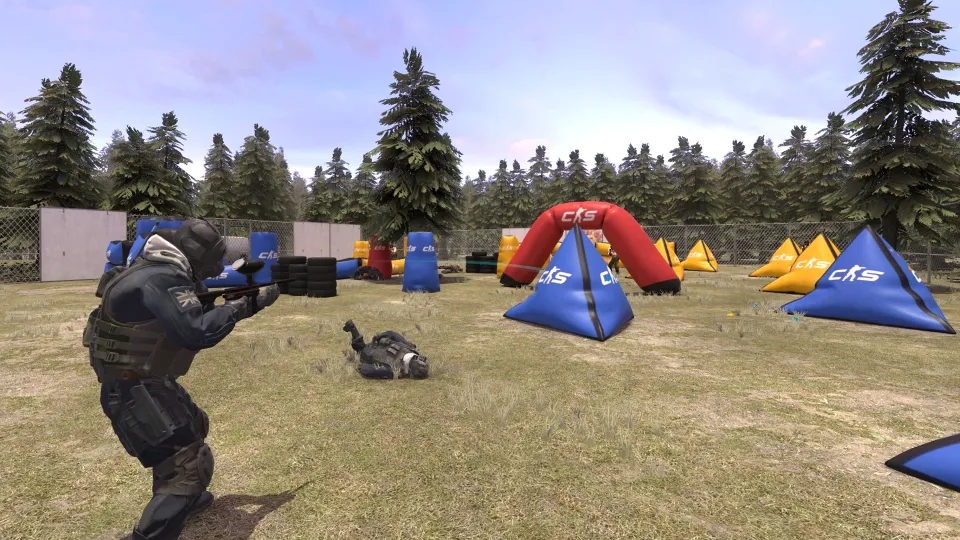
Here’s a setup for shooting at a stationary Counter-Terrorist bot. Copy the whole line and paste it into the console on your own server. The commands run in order: first, they remove existing bots; then they set normal difficulty and add a new bot. The setup also enables infinite ammo, buying anywhere, and impact markers.
- Commands marked “cheat”
- Remove existing bots
- Normal difficulty
- Bot on the Counter-Terrorist side
- Bot stays still
- Bot doesn’t shoot
- Infinite ammo
- Buy anywhere
- Impact locations
- End warmup
To add a bot to the Terrorist side, use bot_add_t instead of bot_add_ct. This setup doesn’t change the round length, buy time, or money settings. Choose those separately from the command list above. For grenade practice, add sv_grenade_trajectory_prac_pipreview 1. To replay your last throw, use sv_rethrow_last_grenade.
How to Leave a Match and Kick a Player
disconnect leaves the current match, while quit closes the game. To remove a player from your server, use kick with their name or kickid with their ID. Don’t confuse either command with bot_kick, which removes bots.
- disconnect — leave the match.
- quit — close the game.
- kick <name> — kick a player from your server by name.
- kickid <ID> — kick a player from your server by ID.
Frequently Asked Questions
If a command doesn’t do what you expect, check its parameters, whether it requires sv_cheats 1, and whether you’re using it on your own server. Also check the team settings, and remember that removing a bot is different from killing one.
How do I kick all bots in CS2?
Enter bot_kick all in the console on your own server. This removes every bot. bot_kill only kills them and requires sv_cheats 1.
How do I add bots to one team?
Use bot_add_t for Terrorists or bot_add_ct for Counter-Terrorists. To set the number of bots, use bot_quota, which defaults to 10. If one team has more players, check whether mp_autoteambalance is enabled and review the mp_limitteams limit. By default, teams can differ by 2 players; a value of 0 disables the check.
How do I get infinite ammo in CS2?
On your own server, enter sv_cheats 1, then sv_infinite_ammo 1. The infinite ammo command is marked “cheat,” so it won’t work unless sv_cheats is enabled. Grenades in your hand won’t run out either.
Why aren’t bot commands working?
Behavior commands marked “cheat,” such as bot_stop 1 and bot_place, require sv_cheats 1 on your own server. Check the parameters too: bot_mimic needs a player ID, and bot_difficulty sets the difficulty for new bots. If bots don’t join until a player connects, check bot_join_after_player. It’s enabled by default, so bots wait for a player.