
Start with the devices you want to power. Each has its own consumption, and both the source and battery have output limits. The Wire Tool connects components with wires; switches and logic components control when power reaches the devices.
- Wiring
- Connect components with wires using the Wire Tool.
- Turret
- Auto Turret uses 10 rW.
- Battery
- Stores energy. Output and capacity depend on the model.
- Research
- Most items unlock in the workbench tree for blueprints or at the research table for scrap.
- Roadside
- Since Power Trip, poles with transformers have supplied power.
How electricity works and what the Wire Tool does
A basic electrical circuit has a power source, wires, and a device. The source provides power, wires connect the components, and the device uses the power it receives. You can add a battery or control components, such as a light switch, between them.
Electricity came to Rust on December 6, 2018. The update added 17 electrical components and the Wire Tool. You use the tool to connect components, much like you use a hammer to build. The system already supported logic for lights and traps at launch.
- rW
- The unit of power. It measures source output, battery output, and device consumption.
- rWm
- The unit of stored energy in a battery. It measures capacity.
- Wire Tool
- A tool for connecting electrical components with wires.
When building a circuit, check 2 things separately: how much power the line can supply right now and how much energy the battery has stored. A large reserve helps keep devices running from the battery, but its output still has a limit. For multiple devices, add up their total load.
Power sources in Rust: Wind Turbine, generator, and solar panel
The Wind Turbine and Large Solar Panel depend on their surroundings. Wind matters for the turbine, and it’s stronger at higher elevations. The panel reaches full output when the sun is directly in front of it and nothing blocks the light. It produces no power at night, so you’ll need a battery in the circuit. When choosing a spot for the panel, check what might block the sun.
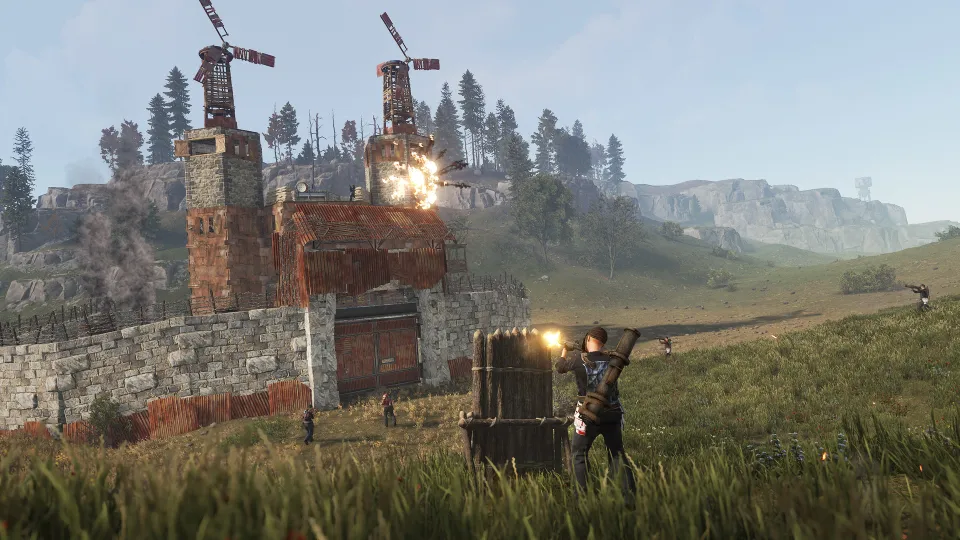
The difference between generating power and using a battery
The Small Generator runs on Low Grade Fuel and outputs 40 rW. It’s compared with the Wind Turbine and Solar Panel for power output, and with batteries for energy storage too. Batteries can supply power to a circuit, but their main job is to store energy first, then send it to consumers.
We’d choose a power source after listing the devices, not before. If you need lights and a turret, check their combined load first. Then pick a suitable source and decide whether you need a battery between it and the devices. That way, you build the power supply around your setup instead of trying to fit devices onto a circuit you’ve already made.
Device power use and how to wire a turret in Rust
Auto Turret needs 10 rW, SAM Site 25 rW, and Tesla Coil 35 rW. Remember to include lights in your calculations: Ceiling Light uses 2 rW, and Electric Table Lamp uses 1 rW. Devices on the same line share its available power.
What to check before wiring an Auto Turret
To power a turret, connect a power source or a battery output to it with the Wire Tool. If other devices share the line, include their consumption in the total. Your source needs to supply enough power for every connected device.
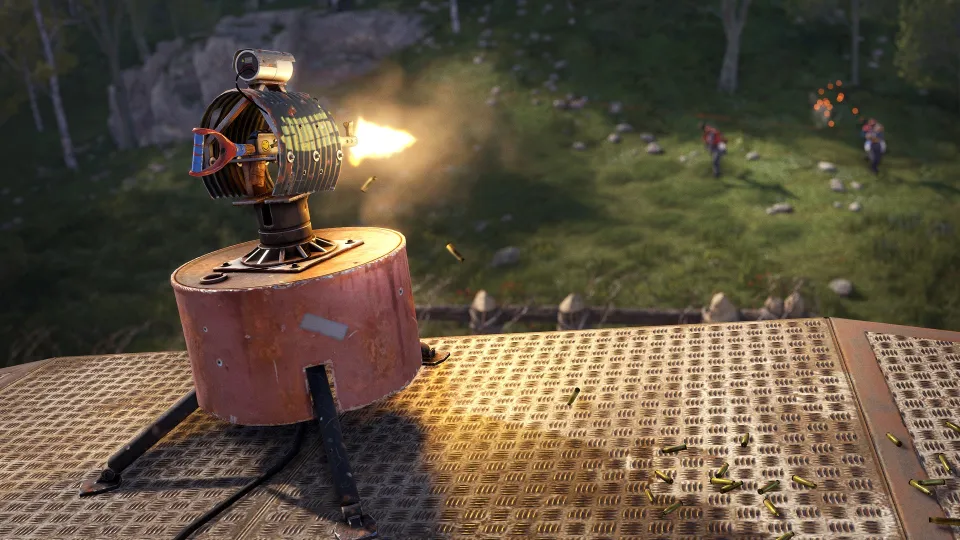
- Device listList everything that will draw power from the same line.
- Total loadAdd up the devices’ consumption in rW (see the table below).
- Source or batteryThe source output, or the battery’s Power Output, must cover the load.
- Wiring and logicConnect the components with the Wire Tool, then check the switches and logic between the source and each device.
Weapons and lamps aren’t the only things that add to your power load. Pumps, the Water Purifier, cameras, and industrial components all need power. Since the Upgrade Hard, Raid Harder update (07.05.2026), the Computer Station does too; you use it to view cameras. If you expand a circuit, recalculate the load for the whole line. A new Conveyor or camera draws power from the same source as the devices already connected.
Rust batteries: output, capacity, and Fully Charged
A battery acts as a buffer between the source and its devices. It takes power through Power In and sends it out through Power Output. Check both stats when choosing one: output limits how much load it can power, while capacity shows how much energy it can store.
| Battery | Output, rW | Capacity, rWm |
|---|---|---|
| Small Rechargeable Battery | Up to 15 | 400 |
| Medium Rechargeable Battery | Up to 50 | 9,000 |
| Large Rechargeable Battery | Up to 100 | 24,000 |
Don’t treat rW and rWm as the same unit. A capacity of 24,000 rWm doesn’t mean a battery can output 24,000 rW: Large Rechargeable Battery is capped at 100 rW.
What the Fully Charged signal is for
Batteries also have a Fully Charged output alongside their input and power output. It sends a signal when the battery is full. Use Power Output to power devices; Fully Charged tells you the battery’s charge state.
Logic components in Rust: conditions and power distribution
Logic components control when power flows. Some check the inputs, while others split power or keep a circuit on for a set time. Choose a component based on what you need the circuit to do.
AND, OR, XOR, and Blocker
An AND Switch passes power only when both inputs are powered. An OR Switch activates if either input has power and passes the stronger signal. An XOR Switch requires power on exactly one input. If both are powered, the condition isn’t met.
Blocker works differently. It stops passing power when power reaches its second input. To choose between these components, put the condition into plain words: do you need both signals, either one, exactly one, or does the second signal need to block power?
Branch, Root Combiner, and Splitter
These components control how power is distributed. Branch diverts some power from the main line. Root Combiner joins two power sources into a stronger line. Splitter divides power across three outputs.
Timer, Memory Cell, Counter, and sensors
Timer passes power while its countdown is running. Memory Cell stores one bit and passes power when it’s in the “true” state. Counter lets power through once it reaches a set number. These components use time, a stored state, or a count as their condition.
- Switch works as a basic on/off switch.
- Laser Detector detects players.
- Pressure Pad also detects players.
A sensor and a logic component do different jobs. The sensor reacts to a player; the logic component determines when power moves on. Use a regular switch when you want to control the power manually.
Where to research electrical items
Most electrical items unlock in the workbench tree for blueprints or at the research table for scrap. Check the required workbench level and the cost of your chosen method for each item. Level and cost vary even within the same circuit.
| Items | Workbench tier | Research Table, scrap | Tech tree node |
|---|---|---|---|
| Switch, Timer, XOR Switch | 1 | 20 | fragment |
| AND Switch, Smart Switch, RF Receiver | 2 | 20 | page |
| Large Rechargeable Battery, Small Generator | 2 | 40 | page |
| Tesla Coil | 2 | 20 | page |
For rows with multiple item names, the cost applies to each item separately. Make a list of the components you need and check their workbench tier before researching them. This shows which items are available at your workbench and which require a different tier.
What changed in 2026: power from roadside poles
In the August Power Trip update, utility poles with transformers along roads started supplying power to players’ own circuits, but only after the power plant comes online. You can also climb these poles without a ladder: walk up to one and jump. Keep this option in mind when choosing a power source.
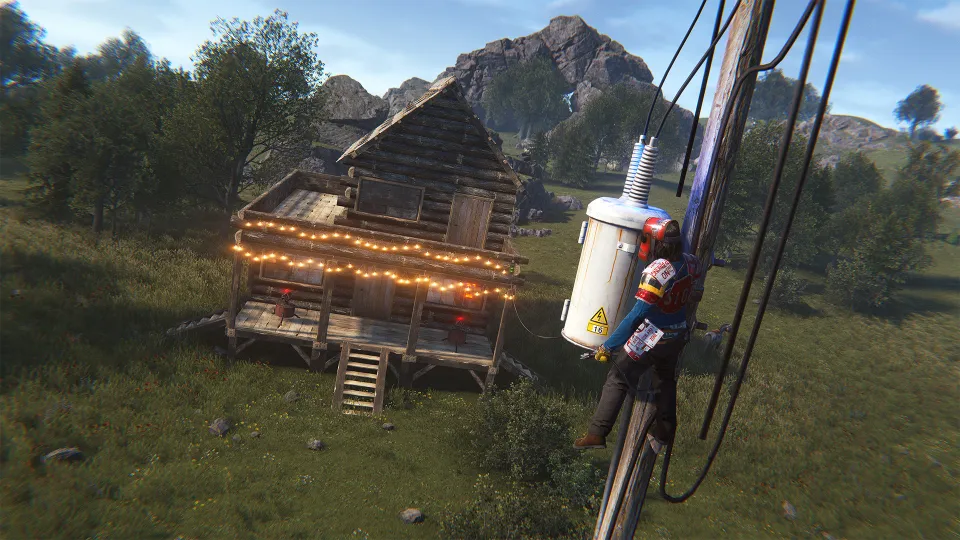
Electricity in Rust now powers more than lights and base defenses. Since the Industrial Update in February 2023, it has also powered industrial components, including conveyors and crafters. For more on the power plant, see our Power Trip breakdown.
Tables: sources, devices, and logic
Consumption and output come from Facepunch wiki item pages as of October 8, 2026. Workbench and research data come from server files as of November 7, 2026. “Research” means scrap at the research table or a blueprint per node in the workbench tree. A dash means the item can't be researched that way.
Power sources
| Source | Output, rW | Capacity, rWm | Workbench tier | Research: table, scrap / tech tree node |
|---|---|---|---|---|
| Wind Turbine | 150 | — | 2 | 100 / page |
| Large Rechargeable Battery | 100 | 24,000 | 2 | 40 / page |
| Medium Rechargeable Battery | 50 | 9,000 | 2 | 40 / page |
| Small Generator | 40 | — | 2 | 40 / page |
| Large Solar Panel | 20 | — | 1 | 40 / fragment |
| Small Rechargeable Battery | 15 | 400 | 1 | 20 / fragment |
Rust server files, November 7, 2026.
Devices
| Device | Consumption, rW | Workbench tier | Research: table, scrap / tech tree node |
|---|---|---|---|
| Tesla Coil | 35 | 2 | 20 / page |
| SAM Site | 25 | Not craftable | — |
| Auto Turret | 10 | 2 | 300 / page |
| Boom Box | 10 | 1 | DLC required |
| Search Light | 10 | 2 | 40 / page |
| Hopper | 8 | 1 | 20 / fragment |
| Bulb String Lights | 5 | No workbench | Steam item required |
| Elevator | 5 | 2 | 100 / page |
| Fairy Lights | 5 | 1 | Steam item required |
| Fridge | 5 | 1 | 20 / fragment |
| Microphone Stand | 5 | 1 | DLC required |
| Modular Car Lift | 5 | 2 | 100 / page |
| Powered Water Purifier | 5 | 2 | 40 / page |
| Vending Machine | 5 | 1 | known from the start |
| Water Pump | 5 | 2 | 40 / page |
| Chandelier | 4 | 1 | Steam item required |
| CCTV Camera | 3 | Not craftable | — |
| Electric Furnace | 3 | 2 | 40 / page |
| Electric Heater | 3 | 1 | 40 / fragment |
| PTZ CCTV Camera | 3 | 2 | 40 / page |
| Ceiling Light | 2 | 1 | 20 / fragment |
| Igniter | 2 | No workbench | 20 / fragment |
| Mini Fridge | 2 | 1 | 20 / fragment |
| Audio Alarm | 1 | 1 | 20 / fragment |
| Cable Tunnel | 1 | Not craftable | — |
| Connected Speaker | 1 | 1 | DLC required |
| Digital Clock | 1 | 2 | 40 / page |
| Disco Floor | 1 | 1 | DLC required |
| Door Controller | 1 | 1 | 40 / fragment |
| Electric Table Lamp | 1 | 1 | Steam item required |
| Flasher Light | 1 | 1 | 20 / fragment |
| Fluorescent Light | 1 | 1 | Steam item required |
| HBHF Sensor | 1 | 2 | 40 / page |
| Industrial Conveyor | 1 | 1 | 20 / fragment |
| Industrial Crafter | 1 | 2 | 40 / page |
| Industrial Wall Light | 1 | 1 | Steam item required |
| Laser Detector | 1 | 2 | 40 / page |
| Laser Light | 1 | 1 | DLC required |
| Light-Up Frame Large | 1 | No workbench | Steam item required |
| Light-Up Frame Small | 1 | No workbench | Steam item required |
| Light-Up Frame Standing | 1 | No workbench | Steam item required |
| Light-Up Frame XL | 1 | No workbench | Steam item required |
| Light-Up Frame XXL | 1 | No workbench | Steam item required |
| RF Broadcaster | 1 | 2 | 20 / page |
| RF Receiver | 1 | 2 | 20 / page |
| Reactive Target | 1 | 1 | 20 / fragment |
| Seismic Sensor | 1 | 2 | 40 / page |
| Simple Light | 1 | Not craftable | — |
| Siren Light | 1 | 1 | 20 / fragment |
| Smart Alarm | 1 | 2 | 40 / page |
| Sound Light | 1 | 1 | DLC required |
| Spot Light | 1 | 1 | Steam item required |
| Storage Adaptor | 1 | 1 | 20 / fragment |
| Storage Monitor | 1 | 2 | 40 / page |
| Telephone | 1 | 1 | 40 / fragment |
| Tripod Spot Light | 1 | 1 | Steam item required |
| Wall Cabinet | 1 | 1 | Steam item required |
Rust server files, November 7, 2026. Neon signs and holiday string lights: 1–7 rW.
Logic and sensors
| Component | Inputs | Outputs | Workbench tier | Research: table, scrap / tech tree node |
|---|---|---|---|---|
| Switch | Power In, Switch Off, Switch On | Power Out | 1 | 20 / fragment |
| Smart Switch | Power In, Switch Off, Switch On | Power Out | 2 | 20 / page |
| AND Switch | Input A, Input B | Power Out | 2 | 20 / page |
| OR Switch | Input A, Input B | Power Out | 1 | 20 / fragment |
| XOR Switch | Input A, Input B | Power Out | 1 | 20 / fragment |
| RAND Switch | Power In, Reset, Set | Power Out | 2 | 20 / page |
| Blocker | Block Passthrough, Power In | Power Out | 1 | 20 / fragment |
| Electrical Branch | Power In | Branch Out, Power Out | 1 | 20 / fragment |
| Root Combiner | Root Power 1, Root Power 2 | Combined Power Out | 1 | 40 / fragment |
| Splitter | Power In | Power Out 1, Power Out 2, Power Out 3 | 1 | 20 / fragment |
| Timer | Power In, Toggle On | Power Out | 1 | 20 / fragment |
| Memory Cell | Power In, Reset, Set, Toggle | Inverted Output, Output | 2 | 40 / page |
| Counter | Clear Counter, Decrement Counter, Increment Counter, Power In | Passthrough | 2 | 40 / page |
| RF Receiver | Power In | Power Out | 2 | 20 / page |
| Laser Detector | Power In | Power Out | 2 | 40 / page |
| HBHF Sensor | Power In | Power Out | 2 | 40 / page |
| Pressure Pad | Power In | Power Out | 1 | 20 / fragment |
| Door Controller | Close, Open, Power In | Passthrough | 1 | 40 / fragment |
| Button | Power In | Power Out | 1 | 20 / fragment |
| Wire Tool | — | — | 1 | known from the start |
Rust server files, November 7, 2026.
FAQ
How much power does a turret use in Rust?
Auto Turret uses 10 rW. If it shares a line with lights or other devices, account for their combined load. When using a battery, check that its output can handle it too.
What’s the best power source in Rust?
Your choice depends on the load and where you’re setting up. Wind Turbine output depends on the wind, while Large Solar Panel reaches its maximum when the sun is directly in front of it and nothing blocks it. Small Generator is another power source; a battery stores energy and supplies it to your devices.
How does a battery work in Rust?
A battery takes power through Power In and sends it out through Power Output. Capacity is measured in rWm, while output is measured in rW. Fully Charged sends a signal when the battery is full.
Where to research electrical items in Rust
Most players unlock them in the workbench tree or at the research table. The required workbench level depends on the item: Switch needs the first level, while AND Switch and Large Rechargeable Battery need the second. Check the research cost for each item separately.