

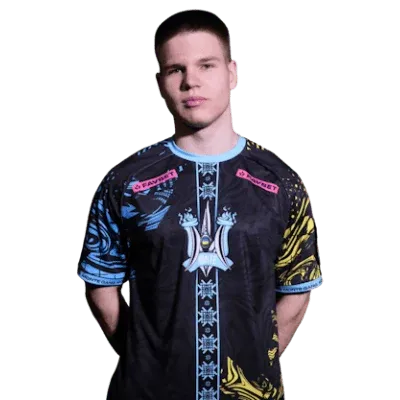
CS2 pro player Ukraine21 years, February 4, 2005Rifler
 Leo Teamon the team since March 15, 2026Player’s inventoryLiquipedia
leen CS2 settings
Vladyslav StepanovВладислав СтепановUkraine21 years, February 4, 2005RiflerLeo Teamon the team since March 15, 2026Player’s inventoryLiquipediaEarnings$13,163prize money of the player’s teams, per LiquipediaTeams in career7playing 2021 – present
Settings
Crosshair
CSZBnXPHVCFZMmua3N8Nk3Qb2yxZr5XqqkbpNkWuZLrsXGOpen in the generatorMouse and sensitivity
- DPI
- 800
- Sensitivity
- 1.27
- eDPI
- 1016
- 360° turn
- 40.9 cm
- Zoom sensitivity
- 1
- Polling rate
- 4000 Hz
- Windows sensitivity
- 6/11
Video
- Resolution
- 1280×960
- Aspect ratio
- 4:3
- Scaling
- stretched
- Monitor refresh rate
- 240 Hz
- Display Mode
- Fullscreen
- Brightness
- 93%
Advanced Video
- Boost Player Contrast
- On
- V-Sync
- Off
- NVIDIA Reflex Low Latency
- Off
- NVIDIA G-Sync
- Off
- Maximum FPS In Game
- Unlimited
- Multisampling Anti-Aliasing Mode
- 8x MSAA
- Global Shadow Quality
- High
- Dynamic Shadows
- All
- Model / Texture Detail
- Average
- Texture Filtering Mode
- Bilinear
- Shader Detail
- Low
- Particle Detail
- Low
- Ambient Occlusion
- High
- High Dynamic Range
- Performance
- FidelityFX Super Resolution
- Disabled (Highest Quality)
Viewmodel
- Viewmodel Position
- Desktop
- viewmodel_fov
- 68
- viewmodel_offset_x
- 2.5
- viewmodel_offset_y
- 0
- viewmodel_offset_z
- -1.5
HUD and radar
- HUD Scale
- 1
- HUD Color
- Purple
- Radar Centers The Player
- On
- Radar Is Rotating
- On
- Toggle Square Shape With Scoreboard
- On
- Radar Hud Size
- 1
- Radar Map Zoom
- 0.25
Player config
leen’s file, adapted to today’s CS2.
- Values taken from the page, where they are newer than the file: 8.
- The crosshair is the current one, as on the page.
- Binds and everything else are as the player has them, grouped by section.
- Put the file into the game’s config folder:
Steam\steamapps\common\Counter-Strike Global Offensive\game\csgo\cfg - In Steam: CS2, “Properties”, “Launch options” — paste this line so the game runs the file on every launch:
+exec leen - Or right in the game: open the console and type exec leen.
Gear
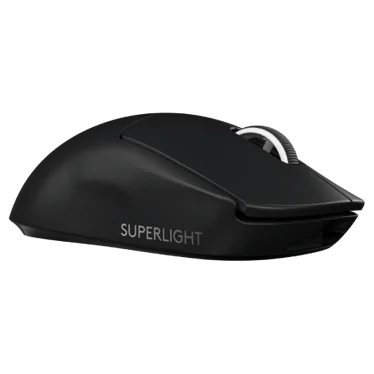 MouseLogitech G Pro X Superlight 2 Black
 MousepadLogitech G640 Black
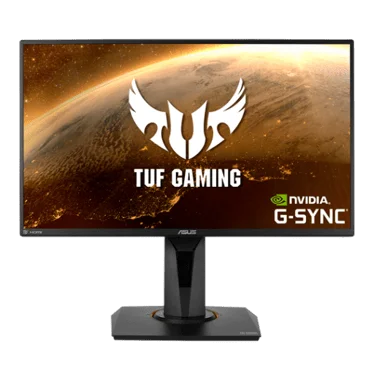 MonitorASUS TUF VG259QM
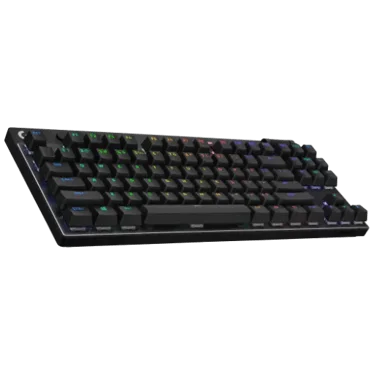 KeyboardLogitech G Pro X TKL Keyboard Black
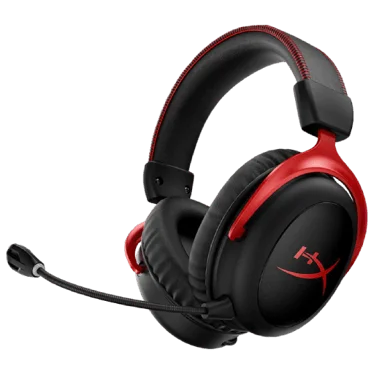 HeadsetHyperX Cloud II
Top achievements
Latest wins and finals at big events- 3rd - 4thCCT Europe 2026 Series #9
 Leo Team$2,500
 - #1United21 Season 36

 Wildcard Academy$6,000
 - #2Exort Series #6
 Monte Gen$3,000
 - #1Exort Series #5Monte Gen$5,000
- #1HEROIC x Thunderpick Path To The ProsMonte Gen$7,000
- #1Galaxy Battle #3Monte Gen$5,000
- #2Prodigy Series #3Monte Gen$5,000
- 5th - 8thBLAST Premier: Spring Showdown 2024
 Monte$7,500
 - #1United21 Season 8: Division 2Monte Gen$2,000
- #1United21 Season 4L&G$2,500
Career
7 teams- Leo Teamsince March 15, 2026, 7 months

 Wildcard AcademyAug 2025 – Sep 2025, 1 month
 MonteFeb 2025 – Jun 2025, 4 months
 Monte GenbenchedJan 2025 – Feb 2025, 1 month
- Monte GenNov 2023 – Jan 2025, 1 year 2 months
- L&GApr 2023 – Sep 2023, 5 months
- LeoGamingMar 2023 – Apr 2023, 1 month
- Team ScytheJan 2023 – Mar 2023, 2 months











FAQ
Found a mistake or inaccuracy?
Data: Liquipedia (player page), license CC BY-SA 3.0. Some details were checked by hand against several sources, including ProSettings.net. Settings: September 30, 2026. Updated daily: current and former players of teams that have played S-Tier events since 2024, everyone who made HLTV’s top 20 players of the year, and other pro players.