Three steps: a key, what it does, a ready console line. Buying, grenades, jump on the mouse wheel, chat: the generator checks commands against the game and warns you if Valve has banned the bind.
Commands and buy menu checked against the game files October 12, 2026
1
Choose a key
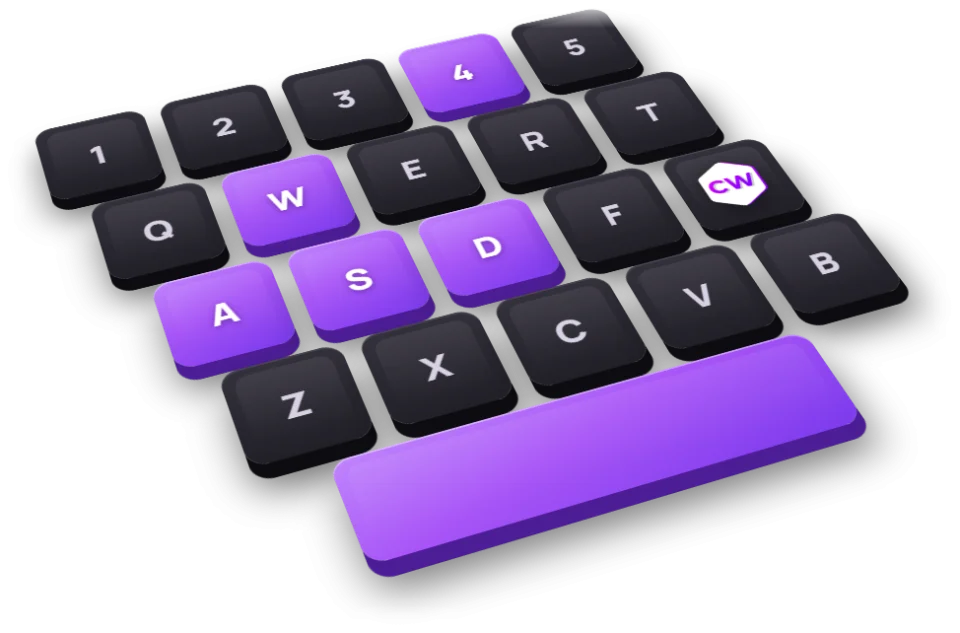
Click Detect key and press it on your keyboard or mouse, or pick it on the layout.
\
Hover over a key to see what it does in the game
free game default bind important key: you can use it after confirming your bind
2
What the key will do
A purchase, a grenade, a jump, a chat message: one key can do several things.
Choose a key in step 1 first, and its actions will appear here.
3
Move the binds into the game
One line with all your binds: copy it and paste it into the game console. Or download a file.
Your binds and a ready line for the game will appear here. Choose a key and an action, or add a ready-made set below.
Ready-made bind sets
Popular binds in one click: add a set to yours — it shows up in step 3, where you can change it
Numpad buy binds
Press a numpad key and a weapon, armor or grenade is bought without the buy menu. One key for both sides: the game buys what your side can.
Numpad 1 AK-47 / M4A1-S
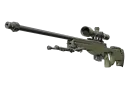
Numpad 2 AWP
Numpad 3 Kevlar & Helmet / Kevlar Vest
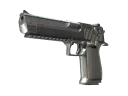
Numpad 4 Desert Eagle
Numpad 5 Defuse Kit
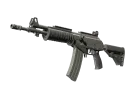
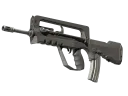
Numpad 6 Galil AR / FAMAS
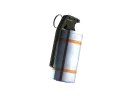
Numpad 7 Smoke Grenade
Numpad 8 Flashbang
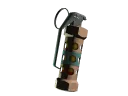
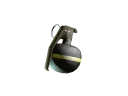
Numpad 9 High Explosive Grenade
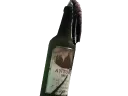
Numpad 0 Molotov / Incendiary Grenade
Numpad . Zeus x27
Grenades next to WASD
Each grenade on its own key, no cycling with 4: press it and the grenade is in your hand.
Z Smoke Grenade
X Flashbang
C Molotov or incendiary
V High Explosive Grenade
Replaces the game’s default binds: Z — Radio commands, X — Equipment slot 12, C — Radial command menu, V — Radial menu 2.
Jump on mouse wheel
Scrolling the wheel up or down jumps, which makes bunny hopping easier. Valve has not banned this bind.
Wheel down Jump
Wheel up Jump
Replaces the game’s default binds: Wheel down — Next weapon, Wheel up — Previous weapon in order.
Comfort
Volume, radar zoom and a clean screen for screenshots on the keys above the arrows.
PgUp Volume up
PgDn Volume down
Home Radar zoom in and out
End Clean screen: crosshair and kill feed only
Grenade practice own server
For your own server with sv_cheats 1: noclip, repeat the last grenade, grenade flight window and jump throw.
N Fly through walls
J Rethrow the last grenade
K Grenade flight preview
Alt Jump throw
Which binds Valve banned
The game’s bind rules since August 19, 2024, from the patch notes and Valve’s post
Several actions on one key
The game ignores a bind with more than one movement or attack action: sprint, reload, attack, attack2, turnleft, turnright, turnup, turndown, forward, back, left, right, moveup, movedown, klook, use, jump, duck, strafe, zoom, yaw, pitch, forwardback, rightleft. Everything else can be combined: buying, grenade slots, chat messages.
Jump throw
Valve made it reliable without a bind: jump and release the grenade right away. The old bind only works on your own server after sv_cheats 1 and cl_allow_multi_input_binds 1.
Snap Tap and similar keyboard features
Valve also banned automating movement and shooting with keyboard or mouse features: on its servers this gets you kicked from the match. Turn such a feature off before you play.
Buying at halftime
Since July 2025 buy binds do not work during the halftime freeze, so buy once it ends.
Not in the game
r_cleardecals
cl_righthand
voice_enable
net_graph
cl_hidehud
Locked for players: only with sv_cheats or for developers
r_drawviewmodel
cl_showpos
Caseway casesSkins for your favorite weapon — in Caseway cases.Open cases
Bind FAQ
Open the console with the ~ key and type bind, the key and the command in quotes: bind "z" "slot8" puts the smoke grenade on Z. Or build your binds in the generator above and paste one ready line into the console.
Not on Valve servers: since August 19, 2024 the game ignores a bind with more than one movement or attack action. Valve made the jump throw reliable without a bind: jump and release the grenade right away. The bind only works on your own server after sv_cheats 1 and cl_allow_multi_input_binds 1, which is handy for practicing lineups.
bind "mwheeldown" "+jump" puts jump on scroll down; for scroll up, do the same with mwheelup. It is a single-action bind, and Valve has not banned it.
Use the buy command with the item name: bind "kp_end" "buy ak47; buy m4a1_silencer". The game simply skips a purchase for the other side, so one key can hold both the T and the CT weapon. You can also buy by loadout slot: buy rifle0, buy midtier1, buy secondary2.
binddefaults restores the game’s default binds on every key. unbind followed by a key removes the bind from that key. unbindall clears every key, WASD included, so you will need binddefaults afterwards.
Usually it is a typo in the key or command name, missing quotes around a multi-part command, a bind that combines several movement or attack actions (banned by Valve), or a command that only works with sv_cheats 1. Buy binds also do not work during the halftime freeze.
Commands, default key binds and buy menu prices come from the game files (GameTracking-CS2) and are checked daily. The bind rules come from Valve’s patch notes.